- Ricoh MP40015001 repair case MP4000B/5000B can also be referred to
Copy codeAficio MP4000B ,MP5000B Aficio MP4001,MP5001,MP2550B,MP3350B
- The Aficio MP4001 machine has creases at the end of the paper when using ARDF for paper feeding, which is particularly severe when feeding on both sides, ultimately leading to paper jams.
- When setting up scan to SMB or shared printer, it was found that there was no shared menu bar in the right-click attribute
- Pager SR3020 reports SC766 after startup
- Single sided copying or printing is normal, double-sided paper jams, and the paper gets stuck at the fixing outlet position after printing the second side
- MP5002 device webpage cannot be accessed.
- Double sided copying, prompt C, Z for paper jam, paper stuck at the double-sided entrance, single-sided copying is normal. Replace the double-sided inlet sensor, but both double-sided paper output sensors are ineffective.
- How to use batch scanning in file server functionality
- How to modify the save format using Twain scanning
- How to set fax header
- Does the Aficio MP4000B have a diagonal binding function?
- How to print scan logs for Aficio MPC5000
- How to change the copy shortcut function keys for models such as AficioMPC2500
- During the use of MP4001 machine, there was no display on the LCD screen, and the indicator light in the upper right corner of the operation panel was normal. Despite multiple power on and off tests, the fault persisted
- MP5001 printing is slightly light, and dealers have reported that the concentration is normal after mandatory powder supplementation, but it will become increasingly light after use for a period of time. Please see the following sample: Counter page, printed black test page
- The copier can be used normally when turned on, but prompts SC672 when entering automatic shutdown
- During continuous copying, R1~R2 paper jams often occur when the SR790 stapler outputs paper. The paper is stuck at the entrance of the stapler, and it is found that the paper is skewed when entering the stapler, and the tip of the paper sometimes has bending, folding, and other phenomena
- The document was scanned to the device's hard drive, but the web page cannot be downloaded
- The MP 4001 machine works normally during continuous copying, but when the machine wakes up from energy-saving mode for copying and printing, it periodically displays SC221
Reason
- According to the maintenance manual, the cause of the malfunction is described as a synchronization error in the laser emission unit.
- Firstly, it is suspected that the SC221 phenomenon may have been caused by an error in the LD unit of the machine.
- Carefully inspect the LD unit, BICU unit, and their wiring connections, replace the LD unit and laser synchronous detector, conduct testing, and the fault persists.
- Inspect the plugs and wiring harnesses on the BICU separately, and no damage or defects were found. Replace the front door switch and main switch separately, but the fault persists Basically ruled out the abnormality of LD unit caused by poor switch
- By replacing the BICU board for testing, the fault persists.
- Measure the connection line between BICU and laser unit with a multimeter, and the result shows that the connection line is normal.
- Using a multimeter to measure the fuse on the power board, no abnormalities were found.
- Replacing the PSU power board is normal for machine copying, and it is preliminarily judged that the 24V voltage provided by the power board to the BICU is poor, causing the occurrence of this phenomenon
- Ricoh IC Card Solution: The card reader cannot be used normally
- MP4001 startup display code SC121
- When turned on, SC144-2 and SC120 were displayed, and the scanning frame was shaking and unable to operate normally. After removing the scanner drive motor and rotating the motor rotor, it was found that the rotor rotation was more laborious than normal and had a strong multi-point damping sensation. However, a normal stepper motor had a slight damping sensation when manually rotated, but could rotate easily. After replacing the scanning motor, the fault persists.
- IC card swiping system+Global scan malfunction, unable to swipe card for scanning
- SC411 malfunction has occurred, and multiple solutions have been attempted but have not been able to resolve it. The specific solution is as follows:
- MP2000 chooses DF2010 and uses the document feeder mode for copying. The image output is all black, and the machine panel displays SC760. When using the document table mode for copying, the image is normal.
- The single-sided printing of the photocopy is normal, but the double-sided folding angle (fixed position) is irregular.
- MP4000B machine always displays no toner
- Browser firmware installation steps
- MP4001 machine copying, with a black background on the printed copy, as shown in the following figure:
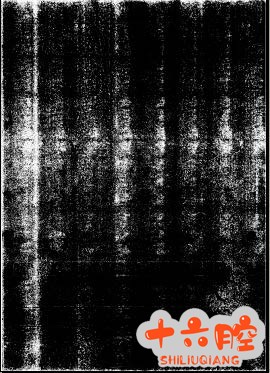
(Note: The print has a black background, but the text on top can still be seen)
- Aficio MP4000B feeder paper jam ARDF DF3010 single and double-sided paper feeding paper jam (005), irregular
- MP4001 shows SC636-1 when installing CAP and GlobalScan
- MP4000B generates code E44 during firmware upgrade
- The machine is copying normally, but when printing, the paper head is stuck in the fixing part and displays SC440, as shown in the following figure:
- SR3000 makes abnormal noise when starting up. Occasionally, SC742 code appears
- After inserting paper tray 1, the paper tray lifting motor operates, and SP5804-038 output checks that the lifting motor rotates normally
- The host cannot start when turned on, and the panel prompts SC670
- When copying or printing, the paper output from the sample tray or binding tray of the SR790 stapler shows paper jam J101. As shown in the figure below
- After booting up, SC670 and SC544 codes are displayed
Link: https://pan.baidu.com/s/1rP3Xu84JJwQt251eYojVFw
Extraction code: ntp2
|







