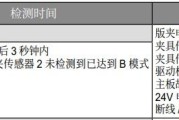
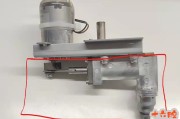
And model: DD5441C/DD5451C/CP7401C/CP7451C symptoms: sometimes the fault code is E-01 when the machine is turned on, sometimes the machine is turned on normally, sometimes it will come out when pressing the plate-making key, sometimes it will not come out,...
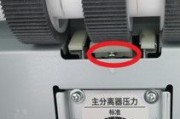
Symptoms: DD5451C the installation of the new machine, when the machine is printing, the paper feed department has abnormal noise. Reasons: poor paper roller mechanism and poor separation pressure; Maintenance process of poor separation pad position: 1. Check the paper roller structure and separation pad, no abnormality is found, and clean and maintain...
Symptoms: DD5451C machine printing cylinders often cannot hang the plate paper. Even if they are hung on the plate paper, the plate paper clamped by the plate clamp is rarely as shown in the following figure: the plate clamp is clamped to the plate paper (the plate sub-head is shorter). The reason for the comparison between the normal and abnormal length of the plate paper head: printing cylinder...
Symptoms: E012 fault occurs when the machine is turned on. Maintenance process: 1. Inquiry manual E012 indicates that the clamp motor is locked incorrectly; 2. Test through HELP-012 code, 1/2 of the clamp motor and clamp sensor...
Symptoms: The printing cylinder of the DD5451C machine is not smooth in hanging the plate paper, and the angle of the plate paper at one end of the plate clip is wrinkled, as shown in the following figure: reason: the plate clip of the printing cylinder is not good; The plate-making department has poor plate guide. Maintenance..., Ricoh/Kissinger, Ricoh Copier Dimension...
Setting method for turning off the power at a specified time 1. Please confirm whether the LCD touch screen is displayed as the basic screen. 2. Tap Menu ". 3. Click on "Other". 4. Click Auto Power Off ". 5. please click on the "automatic...
Symptoms: DD5451C machine printing cylinder hanging board printing, printing cylinder plate paper has black bars at both ends, as shown in the red circle in the following figure: reason: printing cylinder gauze, steel mesh is not good; Poor cylinder pressure support; Repaired..., Ricoh/Kissinger, Ricoh...
Symptom: After using the machine for a period of time, the panel prompts "no ink", and the machine stops and cannot continue to work. Check the ink cartridge installed on the machine and find that there is still about 1/2 box of ink left. Replace it with a new box of ink and it can continue to work normally ..
Ricoh DD5441C_DD541Hc_DD5451C_DD5451Hc digital printing machine scanning unit disassembly video and pay attention to matters of link: https://pan.baidu.com/s/1...
Symptom: After the installation of the new machine, the plate making and printing test showed that the A4 format scanning plate making was normal. However, there was a large black area at the end of the A3 format plate making process. Repair analysis process: 1. Use HELP-030 to output the thermal head test sample image, which is good (Figure 2) ..