
|
Symptoms: After using the machine for a period of time, the panel prompts "no ink", and the machine stops and cannot continue working. Check the ink cartridge installed on the machine and find that there is still about 1/2 box of ink left. Replace it The new ink box can continue to work normally. Analyze the reasons and implement measures: According to the panel prompt "no ink", it involves ink cartridges, ink pumps, and control systems, and the reasons need to be investigated one by one: 1. Is the ink cartridge ink left for a long time, causing the remaining part to solidify and become viscous? Install the ink cartridge onto another machine of the same model and it can continue to be used normally; Excluded ink cartridge issues; 2. Replace 1 box of new ink, install it on the machine, and it can work normally; Install the remaining 1/2 ink cartridge of the machine back to the original machine, but the panel still prompts "no ink"; Excluded issues with the detection and control system; 3. Replace 1 box of new ink. After using the machine for a period of time, the panel prompts "no ink". Remove the ink cartridge and check it. It was found that there was still about 1/2 box of ink left (the fault occurred again); It can be inferred that when the ink in the ink cartridge decreases, the suction force of the ink pump is insufficient; 4. Replace the ink pump with a new one and conduct long-term observation and testing The result proves that the ink in the ink cartridge can be used up normally.
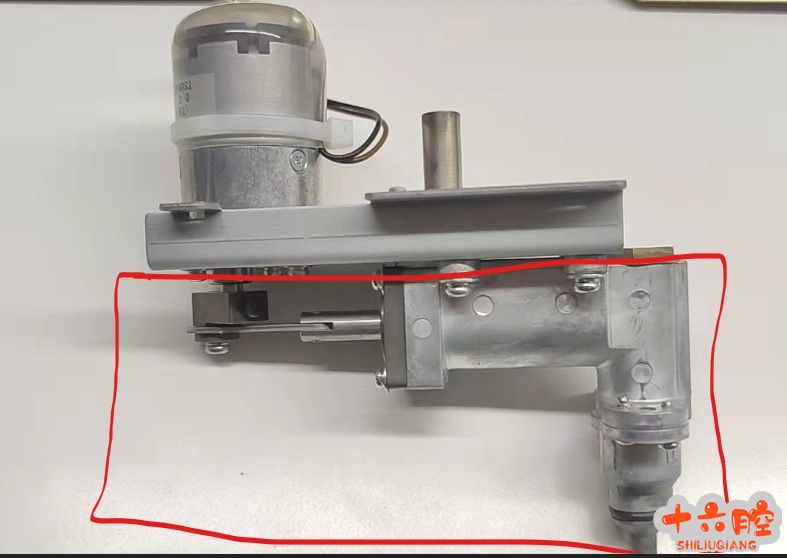
Solution: Replace the ink pump (part number: C2842335). Note: Only the ink pump part (highlighted in red in the above picture) needs to be replaced, excluding the ink pump motor. |
Address of this article:https://073868.com/post/1043.html
Copyright Notice:
For relevant infringements, reports, complaints and suggestions, please send E-mail:weixiuwang68@qq.com
Tags: #No ink #DD5451 #DD5451C #Ink pump motor #5451C






