Symptom M2701: The photocopy color is light. Repair process: 1. Print the configuration page or SMC report of the machine. The print density is normal, but the copied file has a light color,; 2. Try using different types of original documents and adjust the image density to the maximum ..
M2700 has over-transferred paper, and the paper head does not enter the fixing paper jam. Analysis reason: through paper jam record analysis, tray1 not feed:21 times; Not reach exit:98 times; stay...
Symptom: When printing multiple documents of approximately 40 pages each using M2701, the first copy prints normally; however, the second copy only prints the first 30 pages and skips pages, with the remaining pages not being printed. The printer properties cannot be opened, and an error message is displayed. The operation cannot be completed...
M2701 machine boot, the screen shows "need to replace the print box", fault display: reason:[*] drum unit bad [*] motherboard bad [*]NVRAM chip bad repair process: * * * * this content is hidden by the author *...
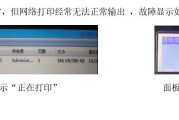
Symptoms: The M2701 machine copies normally, but network printing frequently fails to produce output; the error message is shown in the figure below. Cause: Faulty network cable or motherboard. Repair process: **** Content hidden by author **** ..., Ricoh...
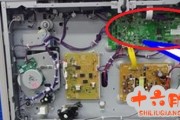
After the copying work is completed, do not stop the machine and keep running. Restarting the machine after shutting it down is normal. Diagnostic process: 1) Re plug and unplug the MPU board harness plug, but the fault persists. 2) Upgrade the machine firmware and perform overall cleaning, but the fault persists. ****Ben ..
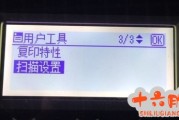
Symptoms M2701,2700, when 2702 set up scanning double-sided to shared folder on the machine, ARDF document feeder can only scan single-sided without double-sided flip action. cause analysis 1. in the machine operation: user tools-scan...
The printer is not printing; after selecting the print option on the computer, the file does not output properly, and the printer does not display any error messages. 1. Upon inspection, the machine has user code enabled. Open the printer properties page in the PC-side print driver, select “Preferences,” and under “Effective Access ...”
Ricoh M2700 series powder tray disassembly video * * * * this content is hidden by the author * * * *, Ricoh maintenance video, Ricoh copier maintenance...