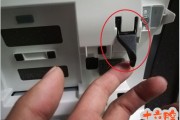
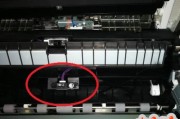
ADF document feeder paper jam, on-site test single-sided copy paper feed is normal, double-sided one is normal, more than 2 paper jam report SC701-03,7507 check paper jam record is 03, paper output sensor report paper jam, check sensor is normal, check...
Symptoms The machine MP2555 selects and purchases a ARDF3090 document feeder. When a single document is fed from the document feeder, a paper jam signal occurs after the document is output. Opening and closing the document feeder cover can eliminate the paper jam signal. Maintenance Process 1. Machine Sending...
MP2555 copy and print each time, the machine will display self test, need to wait for a few seconds, copy printing speed is very slow maintenance process 1. check MP2555 copy and print process, each job task, whether it is one or more...
Symptom: The machine prompts that the toner bottle is empty, and the toner signal cannot be eliminated after replacing the new toner. Maintenance process: 1. Open the front door of the machine and close it after a period of time, and the powder signal cannot be cleared. 2. check the development unit under the powder mouth, found here and...
MP5055 machine, copy/print A4 paper does not jam, but paper jam occurs when copy/print A3 paper, paper jam is stuck at the paper outlet position, paper jam code J060 maintenance process 1, confirm the final through SP7507...
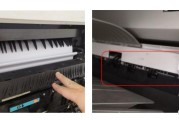
Symptoms: It is normal when one side is on one side. Each side is stuck in the position shown in the figure below (the paper jam code in the SP7-507-2 is 024). After printing one side, the paper should pass from the top of the shunt claw to the double-side flip unit, but each side is wrong...
symptoms: copy and print ghosts, as shown in the following figure maintenance process: 1. check the fixing temperature is normal, as shown in the following figure 2. change the paper type for thick paper, copy and print normal (put plain paper in the tray) 3. after understanding the machine at the original customer use yue share printing basic edition, withdraw...
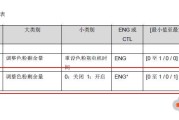
Symptoms MP3555SP the toner is used up and replaced, but the toner remaining status display on the machine panel screen has not changed and is always 100% toner. Cause toner remaining amount adjustment is turned off. solution * * * * this content is the author...