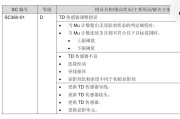
The image copied by the faulty user became lighter, and after replacing the powder box, it became lighter. The machine can work after 3050 powder refills on site. After continuous operation, an error occurred with SC360. Upon arrival at the site, the circuit was checked and found to be normal. However, after turning on and off the machine, even the self-test failed. Conduct another on-site inspection ..
Cause of the problem: This failure is due to the driver failure that occurred after the upgrade of Microsoft's system (mostly due to the driver that Microsoft automatically added when the customer installed the driver). It is not only Ricoh brand that has occurred, but also other copier brands that have similar occurrences...
Phenomenon: A MP3055SP starts up and even reports a SC672-21 fault code, and can be used normally after switching on and off. However, the machine often displays SC672-21 faults after energy-saving wake-up and the frequency of this phenomenon is very high. Reason...
The newly replaced drum component produces a sound after printing for a while. The development sound is normal during the code test of 5804-120, and there is a sound during the code test of 5804-125 drum motor. After disassembling the drum component, it was found that one end of the charging roller was difficult to rotate. The charging plastic connector was removed ..
Smart Screen Scan to Media - Black and White Machine Smart Screen Quick Print Release - Black and White Machine Smart Screen Model Scan - Black and White Machine Smart Screen Model Copy - Black and White Machine Smart Screen Model Fax - Black and White Machine Smart Screen Machine Print - Black and White Machine Smart Screen Function Key Settings - Black and White Machine ..