Issue: After adding a shared printer in Windows 11, printing fails, and a message appears stating that there is a problem with the printer’s current settings; printing works normally on Windows 10. Cause of the failure: The shared printer driver version is too old, which results in...
Symptom: A Ricoh IMC3000 printer produces no output during print jobs; the machine is equipped with GREENLAND software. Possible causes: configuration issues, network problems, controller failure, or a faulty chip. Repair process: 1. On-site...
<Details of Trouble and Phenomenon> Due to the influence of thunder, the fax communication is abnormal and the printout cannot be performed. -The problem cannot be solved after replacing MFPB, HDD, eMMCB. -In dredging the Pin directly connected to the computer...
Trouble phenomenon: the machine cannot print the processing process: the scene to the customer, found that when using the network to print, the driver background display job has been sent successfully, the copier receiving data light does not flash, the machine has no response. try to use usb port print...
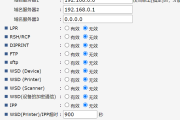
symptoms of a Ricoh IM2500 machine network connection is normal (can ping pass), unable to print, unable to log on WIM web page; possible causes: bad machine/bad network/setup problems maintenance process 1. on-site view fault,...
After replacing the motherboard on the Xerox DocuPrint P228db/P268b, the printer is not recognized and cannot print. Data after replacing the new motherboard; firmware upgrade solution: 1. Install the maintenance driver “Maintena...”
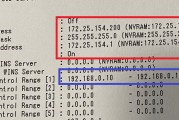
Symptom: MP5055SP—The computer can ping the device, but printing fails (the device is unresponsive). Cause Analysis: 1. Reinstalling and replacing the printer driver, switching to a different computer, and connecting the computer directly to the printer have all failed to resolve the issue. 2. Through...
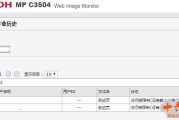
Symptom: The MPC3504 cannot print properly, and the job log displays “Access Restricted.” Maintenance Procedure: 1. Print a test page; the job does not print properly. Check the printer’s job history, which displays “Access restricted (no input classification code...”
When user authentication is enabled on the KOMI C364e series printer, the MAC cannot print. Cause and principle: After the printer’s authentication feature is enabled, user authentication information must be added in the print driver; otherwise, after printing, the print job will be deleted and cannot be processed normally...
Symptom: When printing multiple documents of approximately 40 pages each using M2701, the first copy prints normally; however, the second copy only prints the first 30 pages and skips pages, with the remaining pages not being printed. The printer properties cannot be opened, and an error message is displayed. The operation cannot be completed...