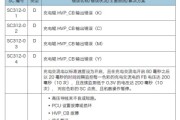
5-804-001 paper feed motor 15-804-002 paper feed motor 25-804-003 paper feed motor 35-804-004 paper feed motor 45-804-005 hand feed paper feed clutch...
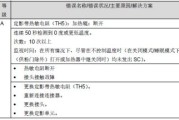
Symptom: When the device is powered on, it performs a self-test, the fuser reaches operating temperature, but an error message appears during the self-test. Reason: The reasons for the failure that may be caused by inquiring the manual are as follows; Solution: On-site troubleshooting process: 1. Replace the failure with other colored PCU...
HP1008 and HP1020 print the first few blurred handwriting and then print normally. Every time the printer restarts, the fault occurs repeatedly as above. The words printed on the first few sheets are vague and can be erased and then normal, because after...
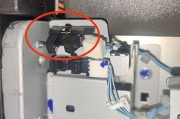
Symptom: C5200 startup report SC569-03 Reason: According to the manual guidance, the code roughly means that the sensor of the pressure roller reports an error during the pressure release process. Preliminary analysis suggests two possibilities: 1. Sensor damage 2. The pressure roller is not lifted ..
Symptom (s): ProC5300S code SC561-00 during printing. 1. Use paper size: 70g A4 offset paper. Total print volume 3 million A4. 2. Paper jam occurred during printing...
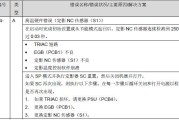
Symptom MC250FWB has SC554-0. Reason and measure: 1. Replace the fixing unit, but the fault persists; 2. Replace the engine board (EGB), but the fault persists; 3. Replace the print controller board, but the fault persists; ****This content has been ..
Symptoms: Maintenance of the fuse device causes the idler shaft to bend, resulting in abnormal noise, gear damage, and/or broken fuse roller bearings. The riveted idler gear shaft has become loose due to significant friction caused by gear misalignment. [*] Fusion idler shaft detachment riveting will occur ..
There are two reasons for this: the 1. fuser is broken, or it is covered by dust 2. the fuser cannot be reset. Solution: The first reason: disassemble the printer, wipe the fuser again or replace the fuser directly....
The fixing in the middle position was not firm. After adjusting the temperature of 1105 and preheating 1113 and 1102, the problem persisted. Then, after replacing with normal fixing, the effect in the middle became normal. However, the fixing at the bottom of the paper was not firm. Based on platform experience, all adjustments that should have been made were made ..