
|
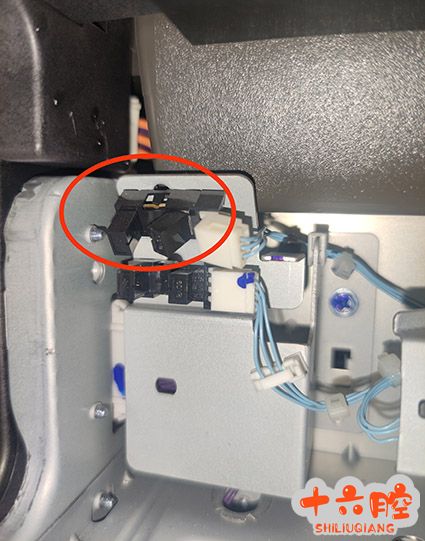
The fixing in the middle position was not firm. After adjusting the temperature of 1105 and preheating 1113 and 1102, the problem persisted. After replacing the fixing with a normal one, the effect in the middle became normal. However, the fixing at the bottom of the paper was not firm. According to the platform's experience, all adjustments that should be made were made. Then the power board was also replaced, but the problem persisted. The original image was transferred to other machines, and the effect was normal. Now we are ruling out the problem with the fixing component, but considering that it is still a problem with the temperature control around the fixing component. Finally, upon inspection, it was found that one of the sensors on the shielding cover of the fixing component was broken. After replacing the sensor, the printing effect was normal, and the problem of weak!
|
Address of this article:https://073868.com/post/207.html
Copyright Notice:
For relevant infringements, reports, complaints and suggestions, please send E-mail:weixiuwang68@qq.com
Tags: #Not firmly fixed #Not fixed #c5503 #Sensor #Fuser







