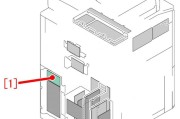
After the machine is completely powered off, operate (unplug the power cord at the back of the machine) remove the rear cover plate of the machine, remove the old machine motherboard chip and replace it with a new motherboard. After installing the new motherboard, install the removed old board chip back to the new motherboard and enter the maintenance mode for matching operation, .....
HP 103, 108, 133, 136 and 138 series laser printer paper feed assembly disassembly and assembly supplementary instructions background instructions: the maintenance manual missed an important step for the paper feed assembly disassembly and assembly (need to remove 2 fixed from the bottom position...
Fault: once in a while, one or two sheets can't be printed. sometimes one sheet can't be printed, and then the paper jam is reported. after disassembling the machine, no paper jam is found. at first, I thought there was a problem with the printer driver. I downloaded the latest driver directly from HP website and deleted it...
Description: For production reasons, the CCD unit was changed to a new type. After the change, you need to upgrade the firmware of the machine system before replacing the old type of CCD unit. the following is the need to upgrade the firmware version information: iR-ADV DX 4751...
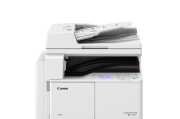
Canon iR 2206,2206,2204,2202,2002 Series Machine Field Technical Treasure Book Maintenance Case 1 Image Failure 1-1. Sub-scanning direction Copy output image Black bar (print output image normal) 1-2. Since...