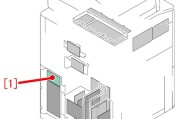
toner cartridge initialization method:[*] step a long press the number keys "0" more than 5S, don't let go in press the start key (copier key), enter the password: 1739 press the start key to enter the maintenance mode, after the input code: 950-807, press...
[Version Specifications] Please ensure the following firmware version combination; items in red indicate the updated content. Main Amendments to Previous Versions *...
Subject: Notes on the correct use of the main controller circuit board assembly kit, contact image sensor assembly and automatic document feeder assembly kit. [Detailed Description] Due to procurement reasons, some of the new components described in the following table are newly installed...
Failure phenomenon: When the machine has a copy failure, it needs to print a test version of a certain color to confirm whether the corresponding color-related parts are normal. solution: enter the maintenance mode, test version of the print, test version number: 5, screen selected as the standard, the concentration of selected...
Fault phenomenon: machine startup prompt 058-376 code solution: this code is abnormal input voltage of the machine. first, make sure that the voltage at the user is normal, and then change NVM value 744-616 to 0. ..., maintenance cases...
Trouble phenomenon: the newly installed touch screen of the machine is not working or slow and unresponsive. Solution: When clicking on the screen icon, you are slow and unresponsive. You can put one hand on the touch screen and the other hand on the iron plate at the bottom of the machine's manuscript table, and the screen will operate normally. Description: By...
Fault phenomenon: The machine is printing normally, but when copying or scanning, it prompts that the original scanning section may not be clean. Solution: 1. Clean the scanning glass and CIS section, remove the draft table glass and clean the reflector with a dust-free cloth. ****This content is concealed by the author ..