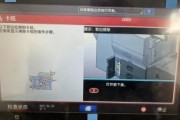
Symptoms: Pro C5200 reported error J018 reason: arrived at the customer's current large-capacity carton printing test more than 250 grams of no card, a piece of tissue paper can not pass the report J018, test 1, 2, 3 cartons and hand-fed paper tissue...
Symptom: The machine frequently experiences J060 paper jams. Repair process: 1. Paper jam explanation: The first paper tray transfer sensor (S9) lags behind and paper jams. According to the explanation, the first paper path rubbing unit transfer sensor was cleaned, but the fault still persists after cleaning. 2. Clean the first paper path ..
Symptom: On the C5310, double-sided printing frequently results in a J097 paper jam. Cause: 1. First, print single-sided with the paper face down; if the paper feeds through smoothly, the issue lies in the duplex paper path. When printing on both sides, the paper stays at the double-sided exit,...
Symptoms: The reason for the SC501-12 after the customer responded to the machine's No. 1 paper tray: 1. Check the maintenance manual fault code 2. Check SP7403 to check that there are no other fault codes accompanied by 3. Check the tandem paper tray...
Symptoms: The customer reported an error SC486-00 the fault code during the production of Pro C5200S on site. The waste powder bottle was normally poured clean. After shutdown and restart, the error will be reported again after a while. reason: query maintenance manual...
Symptom: ProC5300s printing adhesive corner and jam J029. Reason: 1. Check the manual and check the paper jam status. The paper is stuck at the front side of the fixing. 2. Check around the paper jam. There is a layer of overflow glue on the turnover door, which is large...
Symptom: Pro C5200 double-sided printing plain paper, less than 157 coated paper jam J019, paper stuck in the right place. Reason: The long-term wear and tear of the plastic film at the opposite position hinders the paper that is turned over on both sides,...
Symptoms: C5200 black PCDU cannot be pulled out. Reason: The black PCDU cannot be pulled out from the front. It is judged that the surface of the drum shaft is not smooth enough to cause it to jam. solution: remove the back of the four drum motor screws, red circle mark in the figure below...
Symptoms: The customer reported that there were bars on the printed long paper. After confirmation, the background color of the document printed by the customer was light gray in three colors, which was easy to show bars because the CMYK screen was confirmed by color separation printing. The color separation screen test is mainly CM bar...
Symptoms: Paper jam code J028 is suddenly reported during printing. Hard paper is better and thin paper jam rate is higher. Reason: As shown in the following figure, a spring at the transparent plastic part deforms and falls out, jamming the paper road. Treatment method: because it is not particularly easy to dismantle, and it bounces...