
|
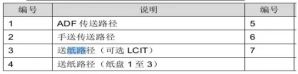
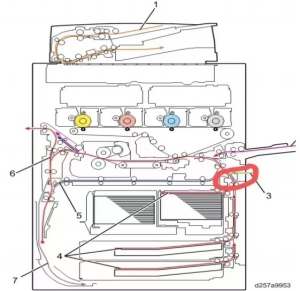
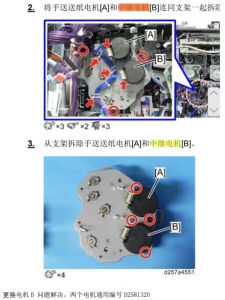
Symptom: Pro C5200 error J018 Reason: Upon arrival at the customer's current large capacity paper box, the printing test showed that the paper weighing over 250 grams did not get stuck, and not a single sheet of thin paper passed the J018 report. Tests on paper boxes 1, 2, and 3, as well as manually fed thin paper, showed no problems. After checking the cleaning of the paper feeding channel and path for foreign objects blocking and no abnormalities were found in the paper rubbing wheel, the printing test still failed. Solution: Upon reviewing the manual, it was discovered that different paper routes are driven by different motors, as shown in the following diagram
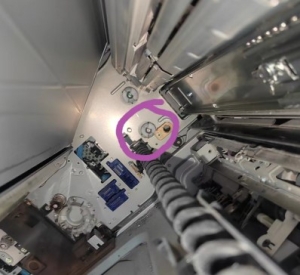
There are two motor drives, one is manual feeding and paper box, and the large paper box is a separate motor
|
Address of this article:https://073868.com/post/5477.html
Copyright Notice:
For relevant infringements, reports, complaints and suggestions, please send E-mail:weixiuwang68@qq.com







