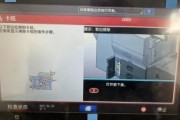
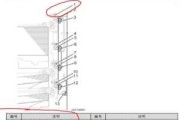
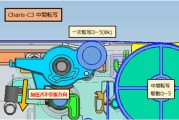
Symptom: The machine frequently experiences J060 paper jams. Repair process: 1. Paper jam explanation: The first paper tray transfer sensor (S9) lags behind and paper jams. According to the explanation, the first paper path rubbing unit transfer sensor was cleaned, but the fault still persists after cleaning. 2. Clean the first paper path ..
Symptom: ProC5300s printing adhesive corner and jam J029. Reason: 1. Check the manual and check the paper jam status. The paper is stuck at the front side of the fixing. 2. Check around the paper jam. There is a layer of overflow glue on the turnover door, which is large...
Symptom: When printing C5310, the first paper box sometimes reports J068 paper jam. Reason: The transfer sensor (S9) on the vertical paper path is dirty. Solution: When printing on the first paper box, there may be errors such as J068 paper jam ..
Symptom (s): ProC5300S code SC561-00 during printing. 1. Use paper size: 70g A4 offset paper. Total print volume 3 million A4. 2. Paper jam occurred during printing...
Symptom: Pro C5300 generates code SC670. Reason: 1. Customer reports a sudden appearance of fault code SC670 upon startup; 2: On site startup and restart, you can hear the sound of frequent disconnection and closing of the relay behind ..
Phenomenon [*] The image on the paper is uneven and rough. [*] Rough paper tends to appear. [*] The edges of the paper appear easily, especially at the front of the paper. [*] Large size paper, such as SRA3, is more likely to appear. Reason [*...