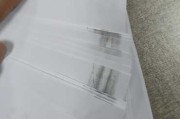
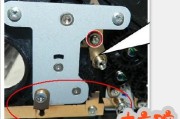
Symptoms: Occasionally black bars in machine copying: Reason: Bad charging motor; Maintenance process: 1. Preliminary judgment from the fault diagram is that it is a charging problem. No abnormality is found in the inspection and cleaning of the charging bracket test; 2. According to the image, it is suspected that the charging motor is defective,...
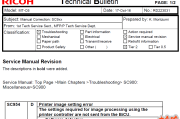
Symptom MP9003 presents with SC954. Repair process 1. The machine has a SC954 fault code, and restarting the machine is ineffective. The repair manual was checked, but no relevant explanation for the fault code was found; 2. Check the RTB of this series of models in R
The Ricoh MP7503SP displays the startup code SC530-17 during the maintenance process. Upon checking the maintenance manual, it was found that this code is not present (the manual only shows SC530-13/14/15/16), and these codes are labeled as Japanese models ..
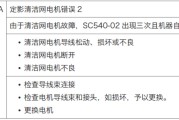
Symptom/Failure: The MP7503 displays error code SC540-03 upon startup. maintenance process 1. check the maintenance manual to confirm the fault code is caused by the fixing clean paper motor, view the SC history of SP7403 no other error information, indeed...
Reason: The drum unit of the machine is faulty. The main charging of the machine is poor. The developing unit of the machine is faulty. The transfer unit of the machine is defective. Repair process * * * * This content is hidden by the author * * * .. Ricoh/Kiester, Ricoh copier ..
Symptom: SC220 (laser synchronization detection error) occurred during MP7503SP operation. The LD unit, laser synchronization detector, BCU board, prism motor, and drive board were replaced, but the fault persisted. Reason analysis 1. Through SP2110
Symptom malfunction: The ADF of MP7503 reports a paper jam as soon as the paper is fed, which can be eliminated by turning on and off the ADF. When the paper is fed again, it will report a paper jam again, and the paper end just passes through the paper roller when it gets stuck. Repair process 1. Check the original paper jam history of SP7508 ..