
|
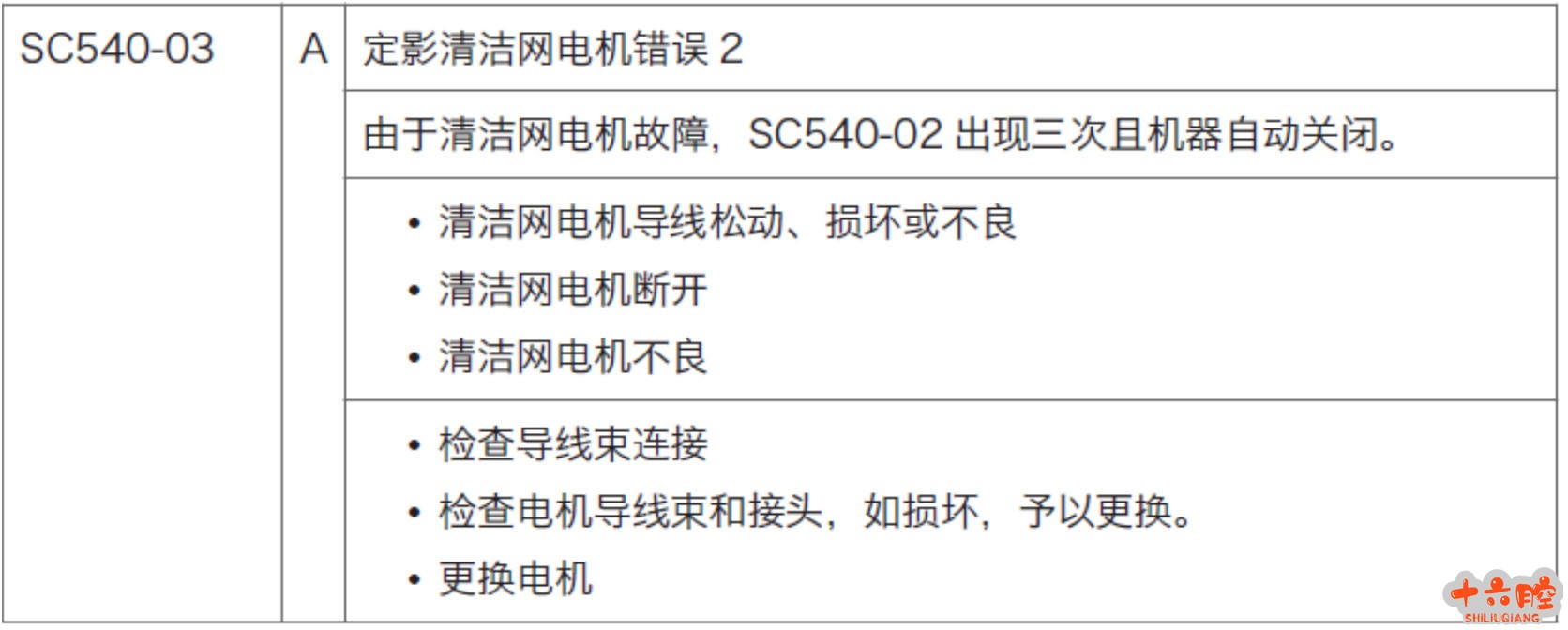
Symptoms Fault: MP7503 boot report SC540-03. Maintenance process 1. Check the maintenance manual to confirm that the fault code is caused by the fixing cleaning paper motor, check the SC history of SP7403 and find no other error message, and confirm that there is only this fault code.
2. Therefore, the motor cannot directly observe the specific operating conditions, so after marking on the clean paper, use the output detection SP5804-55 to test, the test result is normal, and judge that the motor, connecting harness and control board are normal. Therefore, there is only one cleaning paper used up sensor in the fixing cleaning unit of the model, so continue to observe the data of the SP5803-27 median 7, and the sensor is normal.
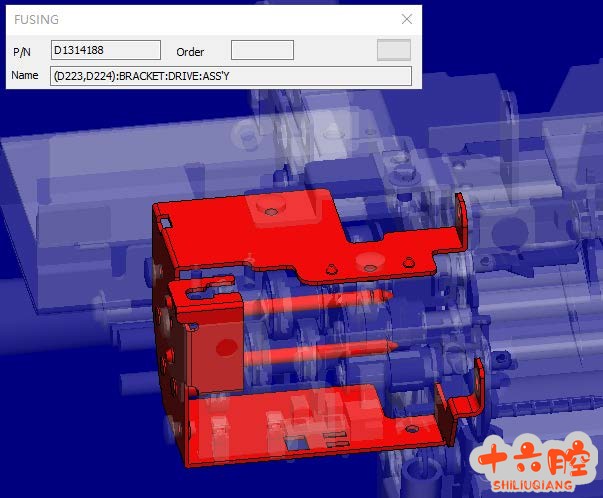
3. Use SP5810 to eliminate the-level code and restart the machine. The fault remains. It is judged that the fault may still exist in the fixing cleaning unit. 4. Replace the entire fixing cleaning unit, the fault disappears, and confirm that the fault must exist in this unit. 5. First, after replacing the fixing cleaning paper motor, the machine started normally, and the cleaning paper motor of the faulty machine was put on other machines for testing. After testing about 1000 pieces of the original faulty machine, it was reported to be SC540-03 again, but the other machine installed with the cleaning paper motor of the faulty machine was normal without error. 6. Continue to replace other parts in the fixing cleaning unit for testing, until the failure disappears after replacing the whole set of cleaning paper drive gear assembly, and there is no failure in the 2000 test, and confirm that the failure is caused by the cleaning paper drive gear assembly. 7. Therefore, the gear assembly cannot be replaced in a complete set, so continue to replace the test, remove all gears for cleaning and oiling test, the fault remains, and the fault is eliminated after replacing the entire gear set bracket.
8. It is finally judged that the deformation of the bracket causes too much load when the cleaning paper motor drives the gear, thus reporting an error. However, the deformation is difficult to observe with naked eyes, so there is no way to correct it and only replace it. Solution Due to the deformation of the cleaning paper drive gear bracket, an error will be reported after the cleaning paper motor runs under excessive load. Troubleshoot after replacing this bracket. |

Address of this article:https://073868.com/post/1341.html
Copyright Notice:
For relevant infringements, reports, complaints and suggestions, please send E-mail:weixiuwang68@qq.com
Tags: #SC540-03 #7503 #9003 #6503 #Cleaning paper






