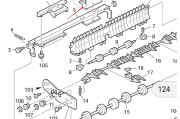
Ricoh MP7502 fixing and double-sided machine interface paper jam (double-sided machine entrance paper jam), suitable for Ricoh MP7001,8001,9001,7500,6001,7502,6002,9002 and other types of paper...
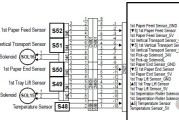
The Ricoh MP600275029002 machine cannot detect paper in all paper boxes (cannot be used), but can be used for manual delivery. The situation where this problem occurs is that the machine was previously a good machine, but due to the user moving the store, the machine was also moved, but it has passed ..
Ricoh MP7502SP series printing and copying image blur, 60029002 and other reasons analysis * * * This content is hidden by the author * * * Solution: Replace LD unit. Ricoh/Christie, Ricoh photocopying ..
Ricoh MP600275029002, disassembly video of CIS (secondary scanning) feeder * * * * This content is hidden by the author * * *, Ricoh repair video, Ricoh copier repair ..
The disassembly video of Ricoh MP900260027502 series paper rolling sleeve is the same for machines such as Ricoh 7500700, 180019001, etc., except for a slight difference in the paper rolling sleeve. Link: htt
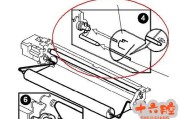
Trouble: The MFP displays "Replace the fixing cleaning unit". reason 1. fixing cleaning unit. 2. The fixing cleaning net runs out of sensors. 3. Fixing cleaning net detection contact rod. 4. Fixing unit. maintenance process 1. check the fixing clean...
The Ricoh 7502 machine works well and is very clean when printing on one side. However, when printing on both sides, black marks appear on the top of the back, but not on each side. It takes a lot of time to print, and I have cleaned up the charging and transfer printing ..
Symptom: An MP9002SP machine cannot enter the ready state, and after waiting for a few minutes, the screen displays the fault phenomenon of SC670-00. Reason: Poor control board unit; BCU board malfunction; Poor motherboard; Soft ..
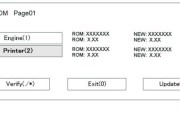
To execute the software update program, an SD card with the software downloaded is required. 1. Turn off the main switch. 2. Remove the SD card slot cover (x 1). 3. Hold the SD card (the printing surface must be away from the front of the machine) and move the SD card