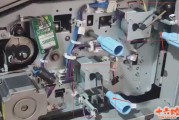
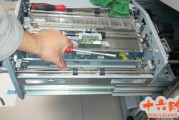
After powering on, the Ricoh Pro 8100 immediately displays error code SC513-01, followed by SC515-02. The machine was working fine yesterday, but today, upon startup, these two codes appeared. After cleaning, the two codes alternate in reporting. SC5...
1. Occasionally, photocopiers may have corners when printing documents, which are all external corners. Check the paper path to see if any foreign objects have fallen on it, causing the paper to run smoothly. No foreign objects were found during the inspection. ****This content is hidden by the author * * * ..,. ..
The symptom is due to poor fixing and cleaning of the mesh motor, and the pressure roller not being cleaned, resulting in the adhesion of toner to the back of the printed sheet. The reason for the short circuit of the motor is due to the wear and tear of the cleaning net motor components. Solution: Replace the supplier of the cleaning net motor. On site: 1 Affected RCTU
In a low temperature and low humidity environment, especially when the machine is turned on in a low temperature state, SC453 (paper transfer roller error) occurs. If the machine does not replace the bias rod with a new one after SC453, the resistance of the bias rod will still increase, resulting in SC460
Ricoh Pro 8100s/8110s/8120s paper jam 109 code SC720-17/SC720-05 symptoms The spring attached to the lower lever at the edge of the tail end is disconnected, causing paper jam 109 or SC720-...
Ricoh Pro 8100s/8110s/8120s prevents paper jam from 109 the reason why the lower pressure rod is inserted into the paper discharge roller. Due to the size of the rod floating up and down, there is not enough space between these components. Note that only print length 364....
Ricoh Pro 8100s, 8110s, 8120s have code SC724-86 or paper jam 112 symptom SC724-86: Binding machine motor error (internal processor) or paper jam 112: Binding machine harness ..