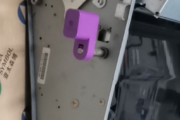
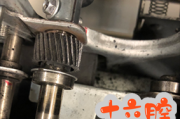
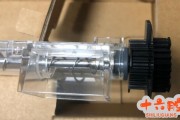
The third paper box of the machine shows an A3 paper jam prompt J014 indicating a conveyor sensor. The cardboard box was tested on A4 paper and found to be normal. The A3 paper fault still persists after replacing the paper roller, and it is believed that there is a problem with the paper feeding component. Subsequently, the paper feeding component was replaced and the fault disappeared. . ...
Now it's autumn, and Ricoh machines have more problems in autumn and winter than in summer. Without further ado, the 8100 has SC300, and when switching to another 8120 charging rack, the fault no longer occurs. The fault is located in the charging rack, and after cleaning the charging rack, the fault still persists. It will be sent later ..
Ricoh Pro 8100 Series Copier Test Code 5804 [Output Check] * * * * This content is hidden by the author ********** This content is hidden by the author * * *, Ricoh/Christie, Ricoh Copier ..
1. According to the fault code, it is found that the transfer belt is shifted, and the belt moves to the outside of the machine every time. 2. Adjust the position shown in Figure 1 and clean the belt positioning sensor. The fault code still reports an error. 3. the final discovery of the paper transfer gear inside the components play...
(Newcomer post) Looking forward to the forum experts' opinions. Without further ado, the machine Ricoh 8100 and the fixing belt run inward, and the repair process is somewhat complicated. The upper rod is missing two shaft sleeves 4185 (key!), the middle rod is worn, and the shaft sleeve part number of the upper rod bearing is missing ..
The startup report sc300, replacement of charging, charging contact base, charging high voltage board, and related things around have not been solved. **** This content has been hidden by the author ****, Ricoh/Kyocera, Ricoh copier repair...
According to the fault code, the transfer belt has shifted, and the belt has been readjusted. Lubrication and adjustment of the transfer belt scale position have been carried out according to the 8100 fault code manual. After a few days of use, the fault code will jump again. Finally, it was discovered that the two gears that drive the second transfer printing component to rotate were damaged ...
1: Cleaning the alignment sensor and adjusting the gear set of the alignment moving unit, the fault phenomenon still exists. 2: Upon further observation, it was found that the middle plastic gasket of the motor in Figure 1 had been removed in half, resulting in bouncing during rotation and inability to reach the desired speed. The motor needs to be replaced ..
A 8110 was reported as 488. Upon arrival at the site, it was suspected that the waste powder recycling pipeline was blocked. The backpack was removed and the waste powder recycling pipeline was cleaned. The entire pipeline was thoroughly inspected and cleaned. After installation, the printing was normal. The next day, it was still reported as 488, pipeline ..