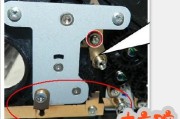
Ricoh MP7503 frequently appears SC545-00,SC542-01,SC541-00,SC555, etc., and the printing effect is not good, and the paper jam is frequent. Analysis of the causes of the failure: 1. The customer's machine usage is large, and 3...
The Ricoh MP7503SP displays the startup code SC530-17 during the maintenance process. Upon checking the maintenance manual, it was found that this code is not present (the manual only shows SC530-13/14/15/16), and these codes are labeled as Japanese models ..
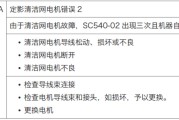
Symptom/Failure: The MP7503 displays error code SC540-03 upon startup. maintenance process 1. check the maintenance manual to confirm the fault code is caused by the fixing clean paper motor, view the SC history of SP7403 no other error information, indeed...
Reason: The drum unit of the machine is faulty. The main charging of the machine is poor. The developing unit of the machine is faulty. The transfer unit of the machine is defective. Repair process * * * * This content is hidden by the author * * * .. Ricoh/Kiester, Ricoh copier ..
Symptom: SC220 (laser synchronization detection error) occurred during MP7503SP operation. The LD unit, laser synchronization detector, BCU board, prism motor, and drive board were replaced, but the fault persisted. Reason analysis 1. Through SP2110
Symptom malfunction: The ADF of MP7503 reports a paper jam as soon as the paper is fed, which can be eliminated by turning on and off the ADF. When the paper is fed again, it will report a paper jam again, and the paper end just passes through the paper roller when it gets stuck. Repair process 1. Check the original paper jam history of SP7508 ..
Symptom: The first paper box of an MP 7503SP machine often experiences lifting errors, while the second and third paper boxes are normal. Diagnostic process: 1. On site installation paper testing was conducted, and it was found that the first paper box repeatedly raised and lowered, showing a paper shortage display. 2. Communication ..
Ricoh MP650375039003 Laser Unit Disassembly - Video * * * * This content is hidden by the author * * * * First, watch Ricoh MP650375039003 Scanning Rack Unit Disassembly https: