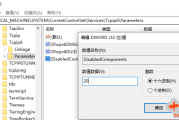
Symptom: After the machine is turned on, it displays "automatic restart". Diagnostic process: 1) After the machine displays the above "automatic restart", the panel stops on this interface, and clicking any button has no response. 2) Neither the SOP screen nor the host can enter maintenance mode, so it is not possible ..
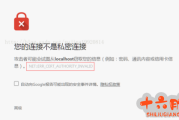
After enabling HTTPS, Chrome cannot open machine web pages. Solution: In general, when the MFP enables HTTPS and disables HTTP, using the Chrome browser to open the machine's webpage will prompt for the webpage ..
After setting up the "Scan to Folder" feature and using it for a while, I found that scans were failing to be sent. solution: 1. test destination use ip address format (for example:\\192.168.1.100\scan), the file can be...
Symptom: After installing a new machine, the "P" card jam is displayed. Analysis process: 1. The paper jam still appears after reconnecting the paper feeder harness. 2. Use input to check and test that the sensors inside the document feeder and cover plate are normal. 3. Due to the previous generation of document feeder DF30
Ricoh copier IM5000 scans to hard drive settings - Video scans files to hard drive through copier using traditional scanning mode. Link: https://pan.baidu.com/s/17A3LrcXyV...
Symptom: When copying and printing IM3500, there is no image and the paper has a gray background on the full page. Diagnostic process 1) Due to the lack of overall image, there is suspicion of a contact issue with the developing bias voltage on the PCDU. The connection between the PCDU (charging/developing bias) and the host was checked, but not ..
Installation video of wireless network card for Ricoh IM2500 series machines * * * * This content is hidden by the author * * *, Ricoh repair video, Ricoh copier repair ..
Ricoh IM2500 series disable panel scanning/disable file server/disable copying/disable web pages/disable firmware automatic update security settings 1 Turn off the scan to USB/SD card function on the smart panel and use Scanner