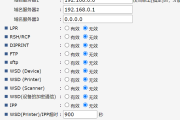
After upgrading the symptom firmware, it is no longer possible to set the scanning destination from the historical records. Usage: After upgrading the new firmware, when SP setting SP5-888-001 is enabled, even if user authentication is disabled, personal information is still available ..
Symptoms: IM2500 print, copy images appear shallow situation analysis process: 1. check the SP3-031, the display result is 1, indicating that the initialization is successful, check the SP3-210(TD sensor output) the result is 2.7...
Symptom: When copying and printing IM3500, there is no image and the paper has a gray background on the full page. Diagnostic process 1) Due to the lack of overall image, there is suspicion of a contact issue with the developing bias voltage on the PCDU. The connection between the PCDU (charging/developing bias) and the host was checked, but not ..
Installation video of wireless network card for Ricoh IM2500 series machines * * * * This content is hidden by the author * * *, Ricoh repair video, Ricoh copier repair ..
The function keys of the IM2500 series models are slightly different from the previous generation models. The previous generation models could only set up to 3 function keys, while the IM2500 series models can now set up to 6 function keys. Setting method: [*] Reset -8
Trouble phenomenon: the machine cannot print the processing process: the scene to the customer, found that when using the network to print, the driver background display job has been sent successfully, the copier receiving data light does not flash, the machine has no response. try to use usb port print...
symptoms of a Ricoh IM2500 machine network connection is normal (can ping pass), unable to print, unable to log on WIM web page; possible causes: bad machine/bad network/setup problems maintenance process 1. on-site view fault,...
Before transporting the symptom machine again, the scanning frame needs to be moved to the locked position. The reason is that the previous generation model used SP4-806-001 according to the maintenance manual instructions, and the scanning frame can only be moved to the right. It will not return when moved to the far right and cannot be moved ..