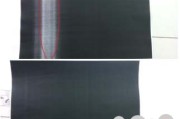
Symptoms machine printing counter machine straight lines are wavy, as shown in the following figure: reason laser hexagonal mirror operation bad maintenance process 1) check and test the laser unit, determine the fault in the laser unit; 2) replace the laser hexagonal mirror test, test machine is.....
Symptoms: The machine copies all black documents with some light colors, as shown in the red circle in the figure below. 1) Suspect that the charging roller is faulty; 2) The developing magnetic roller is defective. Repair process: On site repair measures: 1) Check the machine SMC table, all data display is normal, test the charging roller ..
Image loss occurs on the right side of the image along the auxiliary scan direction. The positional relationship between the laser unit and the PCU can sometimes obstruct the beam emitted from the diode. In particular:-The laser unit is tilted down to the right to block the beam, or the PCU...
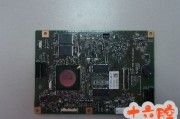
Aficio MP2352/2852/3352AFMP3352 crashed after removing the paper jam and was normal after restarting the machine. Diagnostic process: 1) SC records are queried and no error records are found. 2) Check the controller board...
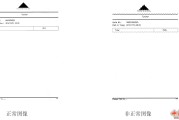
Symptoms: When using the document table and document feeder to make copies, the copies are crooked. (When the first and second paper boxes and the hand feeder feed the paper) A4 long side paper is fed, and printing is normal. The diagnostic process was normal during printing, and no image distortion was found, indicating that the problem has occurred ..
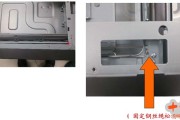
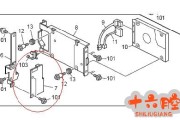
Symptoms: SC120 or SC121 occurs when copying thick books or similar objects on a writing table glass. The reason is that when the user presses the original document, the scanner rod, as indicated by the red circle, contacts the front bracket. Solution - It is recommended that users do not push when copying at the manuscript table ..
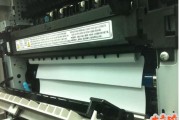
MP2352, MP2852, and MP3352 experienced paper jams at the fixing point during continuous copying or printing, with the card jam code J020. When the machine was just restored to work after energy-saving, the paper jams were frequent. Refer to SP7504 cardboard ..
Symptoms: Bottom dust appears when using the manuscript table and feeder for copying, A4 long edge paper runs, bottom dust appears on the near side, normal on the far side, and normal printing. Diagnostic process: Due to normal printing, it can be determined that the problem is occurring in the scanning section. Clean the optical reflector and ..
Start up report sc819 code. Diagnostic process 1) Check the SC819 code comments in the maintenance manual: 2) Replace the controller board, but the fault persists. ****This content is hidden by the author * * * .. Ricoh/Kees ..
symptoms after the machine has been displayed please wait, unable to enter the work interface. The machine only copy function. Reason 1. This fault is generally a bad controller board. After replacing the controller board, the machine displays SC672. 2. Continue to replace the controller board...