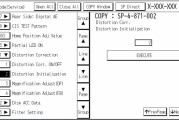
fault phenomenon: copy image deformation and ghosting, print normal processing process: 1. after cleaning optical automatic color calibration after the completion of the fault is still the solution: * * * * this content is hidden by the author * * * * ..., Ricoh/chiseyer,...
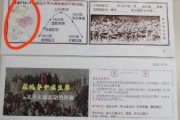
Fault phenomenon: Currently printing/copying with color deviation and slight ghosting, as shown in the figure below (normal output above, color deviation issue below). Suspected use of substitute toner. Processing steps: 1. Automatic color calibration still fails after cleaning the ID sensor. 2. Cleaning image transfer ..
Trouble phenomenon: IMC3500 color machine, printing barcode (black) when ghosting, fixing is not firm! machine black and white print 50000 printing, color 20000 printing! Maintenance process: 1. The paper type is set to plain paper and the paper weight is plain paper 2(75-...
Model: EPSON C43UX Fault phenomenon: There is ghosting in printed text or images. Cause analysis: The reasons for this malfunction include 1) the ink used in this model is water-based ink, and prolonged exposure to air can cause ink to remain in the nozzle ..
MC2000 machine, printing A3 full color background with bold white text on the document, resulting in white font ghosting on the output print. Repair process 1: During testing, it was found that when printing a full color background, there are bold fonts or ..
Analysis process: 1. Execute printing SP1-103-2, print test sample image, sample image is abnormal. 2. Perform quick line position adjustment, display failed. Execute SP2-111-3 and -1 again, but still fail. 3. Check SP2
MP2001L_2501L_2001SP_2501SP_1813L_2013L Symptoms The machine has a problem of ghosting in the paper direction when copying and printing. Cause The main control panel of the machine is not good. The PCU component of the machine does not...
Overview of adjustment plan for DW3035 fixing ghosting: This TI will guide on-site engineers on how to improve the ghosting problem caused by the hot roller by adjusting the fixing related NVM parameters when encountering fixing ghosting problems. Content: How to confirm that the problem is fixed ..
symptoms: copy and print ghosts, as shown in the following figure maintenance process: 1. check the fixing temperature is normal, as shown in the following figure 2. change the paper type for thick paper, copy and print normal (put plain paper in the tray) 3. after understanding the machine at the original customer use yue share printing basic edition, withdraw...
When the machine is copying/printing thick fonts or images, there may be ghosting at the edges of the image. Analysis process: * * * This content is hidden by the author. * * * Suggestion: Refer to the PM parts cycle table in the maintenance manual to replace parts! . .. Reason ..