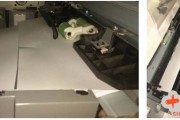
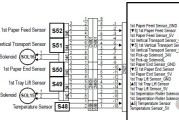
Symptom: The first paper box of an MP 7503SP machine often experiences lifting errors, while the second and third paper boxes are normal. Diagnostic process: 1. On site installation paper testing was conducted, and it was found that the first paper box repeatedly raised and lowered, showing a paper shortage display. 2. Communication ..
Fault phenomenon: When the machine is using the third and fourth paper boxes, the paper stops between the vertical conveyor rollers of paper box one and paper box two. The machine prompts a paper jam, but does not display the jam code information, and the paper is not wrinkled. This content is hidden by the author ..
The customer is using the device normally. After turning on the machine the next day, the cardboard box does not display and is hidden. The troubleshooting process is as follows: 1. Step 1: Pull out the cardboard box and check if there is any paper left. 2. Step 2: Turn on and off the power switch. 3. Step 3: Plug in and unplug the motherboard ..
When an Aficio MP2852 prints a single sheet, the paper roller rotates and feeds the first sheet of paper and then lifts it, but when the paper roller falls down, it does not stop rotating, but continues to feed the second sheet of paper until the top of the paper reaches the relay roller and stops...
The Ricoh MP600275029002 machine cannot detect paper in all paper boxes (cannot be used), but can be used for manual delivery. The situation where this problem occurs is that the machine was previously a good machine, but due to the user moving the store, the machine was also moved, but it has passed ..
MP_2555SP_3055SP_3555SP_4055SP_5055SP_6055SP symptoms: paper jam in the second paper box, and paper jam will be prompted when the paper roller rubs the paper. maintenance process: 1. the use of the first...
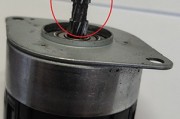
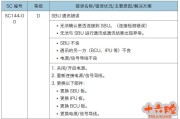
MPC2503SP startup report SC144-001, MPC2503SP maintenance manual, and SC144-00 code reference solution are shown in the table below. 2. Check the power/signal wires according to the above table. Replace SB