How can I use Web Image Monitor to display/change/delete images on the device's home screen? Note: Screenshots are for reference only. The variability of your monitor may depend on the device. [*] By opening one ..
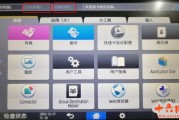
After the machine is turned on, there is no printing or scanning function. Only programs related to copying are available in the application interface. Programs related to printing and scanning disappear or turn gray. Take Ricoh imc6000 as an Example Maintenance Process * * * * This content was written by the author...
The possibility of sending failure after Ricoh copier scans to shared folder settings. Scanning to shared folder is a very convenient scanning method, but it is often caused by various reasons on the spot of customers, which many teachers shared before...
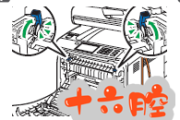
The reason is that the position of the fixing unit control lever is incorrect. During the repair process, set the control lever of the fixing unit to the correct position and ensure that the left and right control levers have been raised to the mark on the regular paper. Attention: The position of the control rod for the fixing unit is shown in the following figure (the blue push rod in the figure represents...)
The machine prompts to replace the photoconductor unit, the number of prints is not large, and the drum unit is not installed after taking out the drum set alarm. After installation, prompt to replace * * * * this content is hidden by the author * * * *, Ricoh/Kissinger, Ricoh copier maintenance...
Some users have reported that PDF files are slow to print, with insufficient pages, whiteboards, and innocent interruptions during printing. During on-site maintenance, it was found that users use many types of PDF software, and printing problems occur with the PDF files they use ..
Ricoh MP2501L appears Error occurred code SC:982 Reinstall NVRAM or also appear in maintenance mode SP5807, change the value to 6 and shut down. If it goes out again, the core needs to be replaced...
In view of the fact that there are some professional competitive maintenance Ricoh machines, how to lock the sp maintenance mode? Method 1. the administrator account to change the password, and then the administrator logs in, and the service mode is locked. Method 2. user tool inside the supervisor password setting...