
|
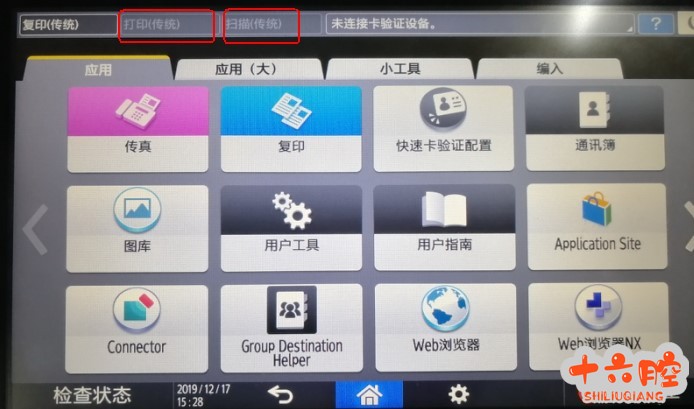
After the machine is turned on, there is no printing or scanning function, and only programs related to copying are available in the application interface. Programs related to printing and scanning disappear or turn gray; Taking Ricoh IMC6000 as an example
Maintenance process 1. Due to the loss of printing and scanning functions, it is suspected that the network and USB port functions of the machine have been turned off. Upon checking SP5985-001/002, the code is set to "1", indicating that the network and USB port functions are enabled normally;
2. Entering the user tool, it was found that the printing and scanning settings were missing, but the network card settings in "System Settings - Interface Settings" were normal; 3. Upon rechecking the SP code, it was found that the data for SP5895-001/002 had been modified to "1" and the print/scan function had been disabled. The two codes were reset to "0" and the machine was restarted, and the print/scan function returned to normal. Solution The data of SP5895-001/002 has been modified to "1", resulting in the shutdown of printing and scanning functions. |

Address of this article:https://073868.com/post/5781.html
Copyright Notice:
For relevant infringements, reports, complaints and suggestions, please send E-mail:weixiuwang68@qq.com






