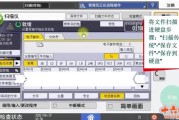
Ricoh copiers download scanned files and file security settings through the copier hard drive. [Video] User requirements: Users want to scan and save documents on the copier hard drive, and then remotely download scanned files from the copier hard drive through their computer for security ..
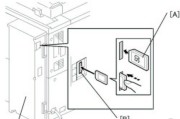
SD card is a precision equipment. When handling the SD card, be sure to observe the following precautions:[*] Always turn off the machine before inserting the SD card. Never insert the SD card into the slot when the power is turned on. [*] after opening the power supply, shall not be from the service...
Ricoh Copier SMB Scanning Folder Sharing Settings-General Step 1: Create a Scanning Folder, Rename the New Folder on the D or F Disk and Desktop of the Computer to 223. the second step, set the folder sharing properties, right click on the 223 text...
1. Connect to the copier using a browser on the computer and log in as an administrator (default username: admin, password: blank) 2 Select Device Management - Configuration - User Authentication Management (taking "User Code" authentication as an example) and select the customer ..
Regarding the installation of print drivers for Apple computers and the modification of default settings for printing preferences. Solution 1: Confirm that the Apple operating system is on the Apple desktop, select the Apple icon in the upper left corner, click on "About this machine" in the drop-down menu, as shown in the following figure ..
Ricoh MP8000,7500,6500 series upgrade firmware perform this step to put multiple applications on one SD card. 1. Turn off the photocopier. 2. Remove the SD card slot cover (И...
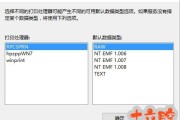
Usage environment: Mpc3003, install GreenlandV2 standalone version; IBM's CAD software; The printing client is a public machine, win7 os 32bit。 Problem description: 1. MFP is used for ..