Fault phenomenon: - There are slight scratches on the printed file, as shown in the following figure. Solution: Check if the safety door of the heating component is in the wrong position and adjust it to the correct position. - Safety door (barrier) instructions: When the user opens the selenium ..
1. M126, M128 series, mobile device wireless connection (including wireless direct connection and wireless access to the same network), can only achieve printing function through HP mobile printing APP (HP smart), does not support scanning function ..
Trouble phenomenon:-Print random font thickening, stretching, compression and other problems. Solution:-The user's powder box is filled with powder, resulting in abnormal operation of the powder box, and the failure disappears after replacing the original powder box-in case of such problems, first consider more...
Problem Description:-Single-sided printing is normal. When automatic double-sided printing is used, the second side is full of slight bottom ash [*] Solution:-After confirmation, this problem has occurred with the powder cartridge. After replacing the powder cartridge, the problem is solved-The powder cartridge with the problem is installed on the printing front...
Fault description: After replacing the motherboard for M252 and M277, the display screen prompts: Ready 2 Download, unable to print properly [*] Processing: 1 Firstly, download the corresponding motherboard model refresh tool from FTP ..
problem description: customers want automatic duplex printing B 166.67cm inch of paper, but when printing will become a manual duplex way, can not be automatic duplex printing. For M203d model printer double-sided unit can support the paper size: A4...
M132 , M134 , M104 , M106 need to refresh the motherboard model after replacing the motherboard [*] refresh file location:- ftp.hpicss.com-/laser printer/consumer laser...
The M227 series (automatic double-sided model) has a downward offset problem during automatic double-sided printing. Description: Normal double-sided printing is normal, but the first automatic double-sided printing job that was performed immediately after the copy job will have one side offset ..
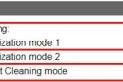
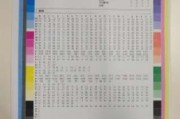
Need to print a red headed file or a red seal. For the issue of color discrepancy between the printer and the customer's desired color, we can usually try to assist the customer in conducting the following adjustment tests: 1 First, make sure to print the diagnostic page and print quality page of the printer ..
Explanation: The new motherboard does not include model information, and in this case, the BOID file needs to be refreshed. The specific steps are as follows: 1. Download the BOID file of M132A from the corresponding product directory on FTP; 2. After the printer is powered on, it can be used with a computer