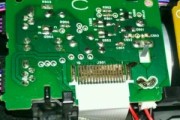
Fault description: Power on self-test error 50.3 Handling process: 1 Firstly, check if the motor control board is installed properly and if there are any abnormalities If the motor control board is installed properly and there are no abnormalities, try replacing the heating component 3 If replacing the heating component ..
Fault description: After replacing the motherboard spare parts for M226, the panel prompts: Ready 2 Download, unable to be ready and printing process: 1 Download the rewritten file from FTP and copy the compressed file to a directory on the hard drive. ...
Suitable products: M252,M274,M277 series [*] fault description: M252,M277 power-on self-test prompt: installation of consumables [*] processing process:-first of all, the user's machine is equipped with original consumables, and replacement consumption...
Fault description: Screen flickering during M226 self-test [*] Handling process: 1 Firstly, observe which step of the screen burn-in occurs during the self-test process, and start the screen display to be normal. It means it's not a problem with the LCD screen. Next, wait until the screen is ready to appear ..
Fault description: M1536 laser printer, the user's failure to repair is that there is no display on the machine, and there is a display after replacing the motherboard, but the processing process will be restarted automatically after 49 errors are reported. 1. First of all, cold reset is invalid. automatic restart cannot upgrade firmware 2...
Fault description: Power on self-test error 58.04, or intermittent error 58.04, sometimes can print engine self-test process: 1 After testing, this situation is related to damage to the motor control board. It is recommended to first check and replace the motor ..
M1005 startup newspaper paper path card jam suitable for products: M1005, 1020+Fault description: Startup control panel newspaper paper path card jam processing process 1 Firstly, ensure that there are no paper jams or debris on the paper path that could cause the sensor to malfunction ..
Problem Description-Users will feedback or think that the printer is faulty, because the error number "01" or the warning light will be displayed directly after the POST.-This is not a fault, but the paper tray is not filled with paper, because this series of printers have been checked...
Failure phenomenon: startup garbled code (actually set to an unknown language) failure analysis: the user sent to repair a 226dw, reflecting the display of garbled code after startup, as shown in fig. 1, the engineer found that the time on the panel is normal numbers and letters are normal...
Fault description: After replacing the motherboard of the M16/M128 series printer, it is necessary to use the Galileo tool to reconfigure the motherboard model, otherwise it will not work properly. Principle explanation: 1 In addition to using hardware Galileo tools, it can also be done manually ..