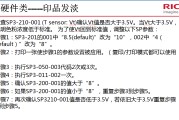
I’ve encountered the Ricoh C2011 and C2503 models many times; their color output is good, but the black tends to be a bit light. 3050 fill powder after the color can be deepened, with a period of time and light, how can we maintain the concentration of powder after? **** this...
The machine replaced the yellow toner and printed several yellow test pages, prompting for replacement. Check the rotation of the developing chamber gear and the lower powder chamber to ensure that the test can rotate. Enter maintenance mode to check the 3210 yellow concentration value of 3.2, which is relatively high. Initialize the carrier 3030 once ..
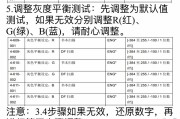
Copy or scan background blue adjustment method 1, in the copy or scan interface, select' automatic density "test 2, user tools-machine characteristics-maintenance-automatic color correction, printing and scanning are done (all) 3, adjust user tools-copier...
The C2503 display is SC370-03, and the client switch is invalid. Arriving at the scene, cleaning the ID sensor (after) is normal, and printing several faults is still the same. It was found that the transfer belt corresponds to the ID sensor (rear). The scraper did not scrape clean. There is one...
due to sc272 sent for repair. After turning on the power, the sc665-02 will jump. The maintenance mode is Japanese and cannot be entered. Click is invalid. maintenance process: 1. replacement bcu invalid; 2. replacement bcu to imaging between iob ffc,sc6...
C2011 and C3004ex. The same configuration, C2011 can scan to the folder, C3004ex always prompt connection error, can not scan. Finally, on the web page, the S M B settings page found that C2011...
Symptoms 1.MPC2011SP SC665-02 failure; IMC series color machine will also appear this code, you can refer to the possible reasons: BCU bad, imaging IOB (IO board) bad, BCU...
Symptoms 1. SC665-02 failure of the MPC2011SP; Possible causes: bad BCU, bad imaging IOB (upper IO board), bad wiring harness connecting BCU and imaging IOB; Maintenance process 1....