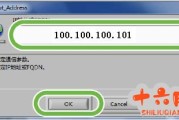
Topic: Introduction to the problem that the backpack server is always unable to be ready when installed on site. The reason for the problem that the backpack server is always unable to be ready when installed on site is not installed according to the normal operation guidelines. The IOT and the backpack server are directly assigned IP addresses or connected...
Subject: Summary of solutions that SIQA cannot use after IOT maintenance: When clicking "Auto Alignment" on the touch screen of J75P IOT, it will prompt "Please wait for image quality adjustment to complete setting". problem description: J75P in cs...
Product Model: C800 C1000 Theme: The server paper library cannot be synchronized after the UI is set up with new paper. Trouble phenomenon: reinstall and update all patches in the server system, IOT Firmware matching, IP address...
Cause of failure: improper setting of IOT communication mode solution: C75 if you want to use the template scanning function, it is recommended to set the IOT ip_address to a network segment ip_address the server, no...
Xerox J75P: When you tap “Auto Align” on the IOT touchscreen, a message appears saying, “Please wait for image quality adjustment to complete setup.” Summary of the solution: Question...
Xerox V2100 with Fiery's automatic carton switching setting for IOT caused DFE printing to report an error 1. V2100 customers reported that when the Fiery server submitted a job, if the paper in the job attribute was...