1 Host Operation: 1-1 Necessary Operation for Toner Bottle during New Machine Installation 1-2 Necessary Operation for Developer Component during New Machine Installation 1-3 Operation Steps for Equipment End to Enter Maintenance Mode 1-4 Firmware Update Party of Compound Machine System...
[Symptom] During copying and printing, the copies exhibit a 3-centimeter-wide area of faded color along the secondary scan direction. [Cause of Failure] DC control board malfunction. [Maintenance Action] Replace the DC control board (FM1-X933-000) with a new one. .....
[Trouble phenomenon] After replacing the new toner, the error message "Please insert the red toner bottle" is displayed, and the toner cannot be detected. [Cause of Failure] Disassemble the red toner supply assembly for inspection, and confirm that the toner detection module fixing groove in the red toner supply assembly is broken. [....
[Fault phenomenon] New installation prompts error code E202-0001. [Reason for malfunction] The main controller circuit board is faulty. [Maintenance Measures] Replace the main controller circuit board (FM1-P546-000)..., maintenance case ..
[Fault phenomenon] When using the ID card copying or 2-in-1 copying function, black stripes were found on the copied copies. [Reason for malfunction] The horizontal scanning start position in book mode is incorrect. [Maintenance Measures] Adjust the book model in the maintenance mode ..
[Fault phenomenon] The main menu interface of the machine and the manual tray setting interface repeatedly switch automatically, causing the machine to not function properly. [Reason for malfunction] The sensor lever position of the paper in the manual tray is poor, causing repeated triggering of the manual tray setting interface ..
[Reason for malfunction] Poor red developer component. After replacing the red developer component with a new one, the fault was resolved. Repair case, Ricoh copier repair ..
[Fault phenomenon] The newly installed machine prompts error code E733. [Reason for malfunction] The connection between the DC control board and the main control board is damaged. [Maintenance measures] Replace the wiring between the new DC control board and the main control board. . .. Repair case ..
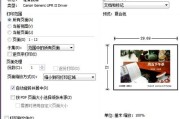
[Fault phenomenon] Printing PDF multi page documents with watermarks, the first one prints normally, but the printing speed is very slow from the second one onwards. [Reason for malfunction] Related to printing settings. [Maintenance Measures] 1) Create a new PDF multi page document and try printing it normally; ...
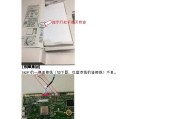
[Fault phenomenon] DADF intermittently fails to recognize the original document on it (as shown in the figure below, the original document detection indicator light is in the off state). Restarting the main power supply may temporarily restore, but the same problem may occur in the short term. [Reason for malfunction...]