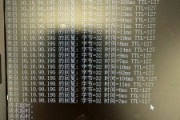
Symptom: The initial problem occurred with MC250FWB, which the customer reported frequently going offline. After on-site inspection and testing of PING on the customer's LAN, disconnection did occur, but there was no offline or disconnection after direct connection to the computer! Multiple M's
Symptoms: The first printout takes a long time, and the first printout takes 1-2 minutes. Maintenance process: 1. The first printout of the on-site test takes about 1 minute and 30 seconds, and the machine will not run for a long time after receiving the command...
Related models: MC250FWB symptom P C300W. When installing a new machine, the concentration sensor needs to be cleaned when it is turned on. The machine cannot be used, but it can print test pages. Reason 1 TM/P sensor dirty 2. Setting problem 3 . ..
Symptom: After replacing the black AIO with a new M C250FWB machine, the self-test cannot be completed, and the SC491-0 fault code appears, which cannot be eliminated by turning on and off the machine. The code explanation in the maintenance manual points to the high-voltage maintenance process: 1. On site repair of the original ..
Symptom MC250FWB has SC554-0. Reason and measure: 1. Replace the fixing unit, but the fault persists; 2. Replace the engine board (EGB), but the fault persists; 3. Replace the print controller board, but the fault persists; ****This content has been ..
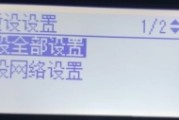
How to confirm the information of the color powder ID chip for M C250FWB/P C300W? Please follow the steps below to confirm the appropriate color powder consumption. Can you confirm the K toner consumption rate, printing rate, and printing conditions (focusing on printing P/J)
Mer-MF1/P1 firmware update, the controller firmware and engine firmware update methods for this model are different, so it is important to distinguish the type of firmware when updating. Attention: 1. During the update process, do not operate the machine through the control panel ..
The print driver and scanning application of Ricoh P C300W/M C250FWB domestic system Rio1_Rio_2Mercury1 * * * This content is hidden by the author * * *, firmware upgrade, Ricoh copy ..
Precautions for M C250FWB Curling Prevention Mode: Southern regions may experience rainy season in summer. Due to high humidity in the air, the paper may become damp. When the damp paper is fixed at high temperatures, it may bend and cause paper jams, resulting in rolls on the machine ..
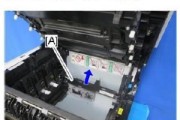
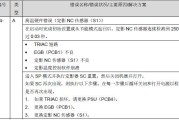
Symptom MC250FWB shows SC202/SC220 (Figure 1), and after replacing the laser unit, the color matching is inaccurate (Figure 2). 1. The operation shown in Figure (3) is ineffective, and attempts have been made to replace the engine board/controller board/TM sensor ..