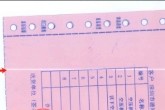
At the scene of the malfunction, there are white lines on the glass plate scanning (as shown in the figure below). Cleaning the optical path glass on site has not improved, and the problem of replacing the scanning head unit components still exists. Upgrading the firmware and system cleaning still exist, and the automatic feeding and scanning of the test feeder are normal. . ....
Phenomenon: A MP3055SP starts up and even reports a SC672-21 fault code, and can be used normally after switching on and off. However, the machine often displays SC672-21 faults after energy-saving wake-up and the frequency of this phenomenon is very high. Reason...
Smart Screen Scan to Media - Black and White Machine Smart Screen Quick Print Release - Black and White Machine Smart Screen Model Scan - Black and White Machine Smart Screen Model Copy - Black and White Machine Smart Screen Model Fax - Black and White Machine Smart Screen Machine Print - Black and White Machine Smart Screen Function Key Settings - Black and White Machine ..
Do not allow access to the background settings of the web page * * * * This content is hidden by the author * * * *, Ricoh/Kissinger, Ricoh copier maintenance...
Ricoh MP2555-6055 new board hardware upgrade firmware Ricoh MP2555-6055 old board hardware upgrade firmware for a total of two firmware links: https://pan.baidu.com/s/1...
After a new MP3055SP model is installed (optional automatic document feeder DF3090), the original works normally when using the document feeder mode for copy output, but the paper jam when using the document feeder for document conveying under the scanning function. field test...
Symptoms: The user uses a switch to form an office network. Only the computer in the office prints through the switch. After a few days of normal use, the printed document suddenly appears. After receiving the printed document, the job is not output and canceled. Check the job record for details and find the prompt...
Ricoh MP2555 automatic shutdown analysis process after "Shutdown" appears on the boot screen: 1. the fault still occurs after restarting the machine. 2. After plugging and unplugging the controller board again, the power is turned on and the fault reappears. 3. after the replacement of the controller board boot...