Symptoms: E012 fault occurs when the machine is turned on. Maintenance process: 1. Inquiry manual E012 indicates that the clamp motor is locked incorrectly; 2. Test through HELP-012 code, 1/2 of the clamp motor and clamp sensor...
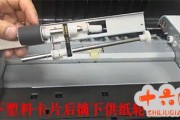
D2 type extended memory installation 1. Open the front cover and remove the roller. If it is not stopped at the roller removal position, please turn on the power of the printer, and then press the "roller removal switch". 2. in step 1 if you have turned on the printer power supply,...
Setting method for turning off the power at a specified time 1. Please confirm whether the LCD touch screen is displayed as the basic screen. 2. Tap Menu ". 3. Click on "Other". 4. Click Auto Power Off ". 5. please click on the "automatic...
Saving data to the built-in memory Important: You cannot use the online mode until you start saving and end saving the data obtained by scanning the original on a digital printer. 1. Set the original to be saved on the scanner glass. Using the automatic document feeder (A...
The setting method of turning off the power after the specified time 1. Please confirm whether the LCD touch screen is displayed as the basic screen. 2. Please tap “Menu”. 3. Please tap “Other.” 4. Please tap “Auto Power Off.” 5. please click "...
DD5441/5451/5441Hc/5451 Hc1. Function adjustment touch panel and check panel operation 2. Operation steps 1. Use the "number keys" to enter "002", and then press the "print key". 2. choose...
Ricoh DD5441C_DD541Hc_DD5451C_DD5451Hc digital printing machine scanning unit disassembly video and pay attention to matters of link: https://pan.baidu.com/s/1...