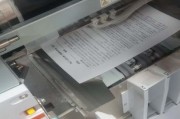
Symptom Fault: Paper jam at DD5451 roller. Maintenance process 1. A DD5451 with a printing capacity exceeding 2000K. Paper jam during photocopying and paper jam at the roller, as shown in the figure below. 2. this machine has only been replaced before the paper roller, its...
Saving data to the built-in memory Important: You cannot use the online mode until you start saving and end saving the data obtained by scanning the original on a digital printer. 1. Set the original to be saved on the scanner glass. Using the automatic document feeder (A...
The setting method of turning off the power after the specified time 1. Please confirm whether the LCD touch screen is displayed as the basic screen. 2. Please tap “Menu”. 3. Please tap “Other.” 4. Please tap “Auto Power Off.” 5. please click "...
Symptoms DD5451 machine plate making or plate making will report: plate paper setting error. maintenance process 1. according to the maintenance manual to judge as follows: 1) in the plate making process, plate paper end sensor through reflected light detection whether there is a plate on the conveying path...
DD5441/5451/5441Hc/5451 Hc1. Function adjustment touch panel and check panel operation 2. Operation steps 1. Use the "number keys" to enter "002", and then press the "print key". 2. choose...
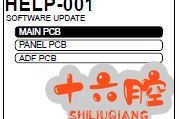
ROM update 1. Use USB interface to update ROM version. The substrate to be upgraded: [*] motherboard [*] panel circuit board [*] ADF board (when ADF is installed) 2 Operation steps<Work ..
There are two output modes for paper jam/error resume of Quartz-D2 series machines: 1. plate making printing. The error resume can be displayed on the screen and output data. The operation flow is shown in the following figure: the paper jam/error resume data is successfully printed 2. saved...

![Ricoh DD5451,5441 Model Drive Operation Principle [Video]]](https://073868.com/zb_users/theme/suiranx_light/image/random_img/5.jpg "Ricoh DD5451,5441 Model Drive Operation Principle [Video]]")