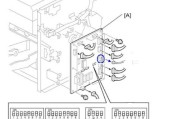
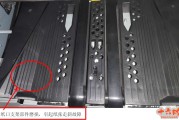
Symptom: DD3344C startup report E-12 analysis: The paper compression of this model is driven by compression motor A through gear B, which in turn drives the compression plate to rotate and compress the waste paper through the hanging brackets and tension springs on both sides. Sensors C and D are checked ..
During the symptom plate making operation, when the paper head enters the roller plate clamp, the roller does not wrap the paper at a speed of 30 revolutions per minute. Instead, after the paper is cut, it rotates directly for 2 cycles to wrap the paper. The machine does not display any error messages and can print normally. Fault classification ..
Ricoh 2433 printing presses often jam paper at AB. Sometimes one sheet is printed and the paper is stuck. The paper just enters a little bit under the pressure stick. The sensor at the opposite position is cleaned, the clutch of the pressure stick is replaced, the paper rubbing wheel, etc. It is still jammed. It will not be considered later...
The symptom machine will automatically turn off the main switch. The reason is that this series of machines is designed with an automatic shutdown function, which is set to on at the factory. Solution: Turn off the automatic shutdown function to resolve the issue. Automatic shutdown setting method 1. Turn off DIP SW 10 on the motherboard
The symptom is that the machine starts printing and there is a malfunction where the paper moves to one side of the output port, causing the paper to come to the receiving tray unevenly. The reason is that the pressure roller of the machine is poor. The pressure roller electromagnet of the machine is faulty. The suction fan at the paper outlet of the machine is poor. Machine .....