
|
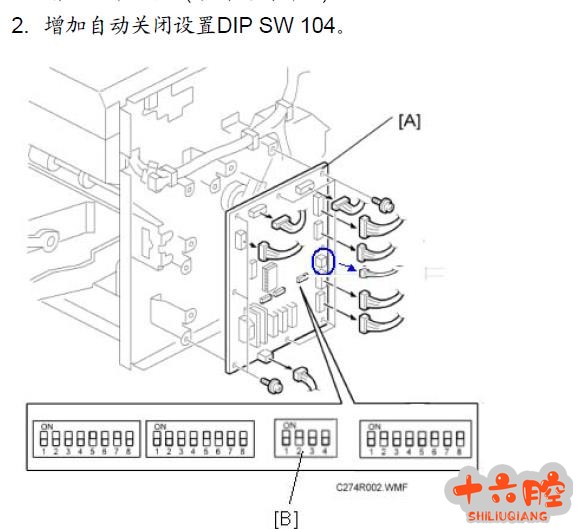
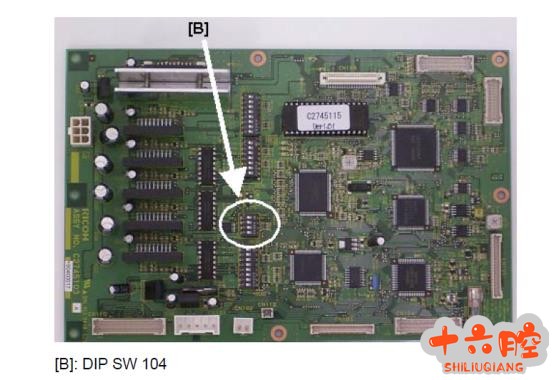
Symptoms The machine will automatically turn off the main switch. Reason This series of machines is designed with an automatic shutdown function, which is set to on at the factory. Solution Turn off the automatic shutdown function to resolve the issue. Automatic shutdown setting method 1. Turn off the DIP SW 104 switch on the motherboard (set all switches to OFF)
2. The white circle in the picture is the DIP SW 104 switch
|
Address of this article:https://073868.com/post/3040.html
Copyright Notice:
For relevant infringements, reports, complaints and suggestions, please send E-mail:weixiuwang68@qq.com
Tags: #DIP SW #2433 #Auto Shutdown







