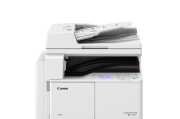
Canon iR 2206,2206,2204,2202,2002 Series Machine Field Technical Treasure Book Maintenance Case 1 Image Failure 1-1. Sub-scanning direction Copy output image Black bar (print output image normal) 1-2. Since...
iR 2202/2002 Series iR 2204 Series iR 2206 Series Theme Countermeasures Solve 0104 jams that occur. Description: Because the machine uses different quality paper, the paper in the first paper tray is not rubbed up...
Canon ir 2204_2004 series system upgrade firmware v0503 * * * * This content is hidden by the author * * * * requires specialized tools to write firmware, upgrade firmware, and repair Ricoh copiers ..
Applicable product series: iR 2206 series/iR 2204 series [Trouble phenomenon 1: horizontal scanning position offset] The horizontal scanning position of the image is offset during copying and scanning on the platen, and black edges appear at the edge of the image. as shown in the figure below...
Product model: iR 2202/2002 series iR 2204 series iR 2206 series NPG-59 drum separation claw pasting method FAQ theme countermeasures to solve the problem that the front end of the paper enters the drum, 010 occurs...
Language: Chinese Format: PDF Electronic Version Size: 42.9MB Pages: 293 Pages The manual is detailed in content, with illustrations and text, making it a good helper for maintenance personnel. With the maintenance manual, you don't need to disassemble and troubleshoot this machine anymore ..