Reason: The PS firmware version of the machine is low. Repair process: Upon checking the machine firmware table, it was found that the PS firmware version of the machine is low. Upgrade it to the latest firmware; Troubleshooting, the test run is normal. Solution: Upgrade the PS firmware version of the machine ..
MAC Apple Computer Print Driver Installation and Custom Red Settings * * * * This content is hidden by the author * * * *, Ricoh Maintenance Video, Ricoh Copier Maintenance...
The following error prompt appears when printing the symptom IMC2000. Click "Continue Printing" to normally output the maintenance process 1. The Apple MAC system at the customer's office is X10.13 system, and the problem of replacing different MAC computers is still the same...
Symptoms: There are many Apple computers in the user network. After installing EZ, other computers can print out the user information registered through EZ. Only the print task sent by one computer is deleted, and the print task cannot be seen after logging in to MFP. analysis of the reasons:...
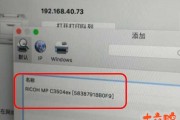
When adding a printer on macOS, can the displayed device name be changed? When installing the print driver, the display on the lower interface of the apple system is as follows. the customer needs to modify the display name in the red box: the modification method is as follows: browse.....
Symptoms: The user has 2 Apple computers. After installing the EZCharge Express software, one of the computers with the user name "chenglv" can print out the user information through EZ registration. Another user name...
Symptom Malfunction: IOS device uses AirPrint function to print Word/excel document method. maintenance process 1. ios equipment due to operating system security policy, can not be as Android system can be at will...
The reason is that the user needs to set up user code authentication for the printer, but does not know where to set the result. In this case, let's briefly explain where to set what content, including user code authentication mentioned by the user. Firstly ..
Regarding the installation of print drivers for Apple computers and the modification of default settings for printing preferences. Solution 1: Confirm that the Apple operating system is on the Apple desktop, select the Apple icon in the upper left corner, click on "About this machine" in the drop-down menu, as shown in the following figure ..