
|
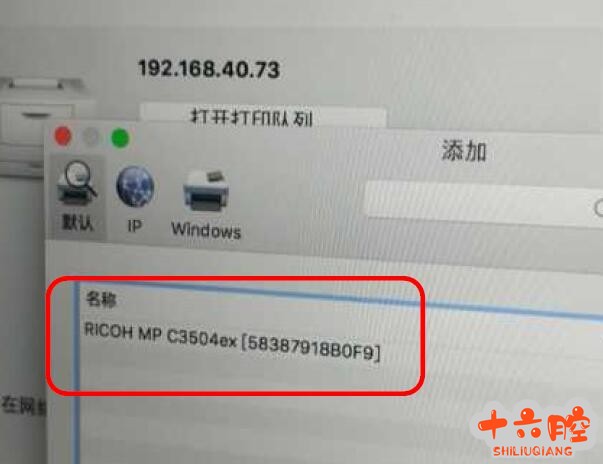
When adding a printer on macOS, can the displayed device name be changed? Solving process When installing the print driver, the display on the lower interface of the Apple system is as follows. Customers need to modify the display name in the red box:
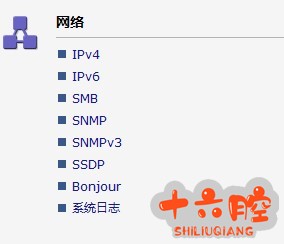
The modification method is as follows: Open the web page of the machine in the browser and log in to the administrator; Find the Bonjour protocol in the network section of the settings;
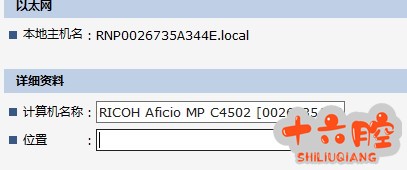
After entering this option, the computer name in the details is the name displayed in the Apple system when the printer is added. You can modify the name and click OK to save.
|
Address of this article:https://073868.com/post/2928.html
Copyright Notice:
For relevant infringements, reports, complaints and suggestions, please send E-mail:weixiuwang68@qq.com







