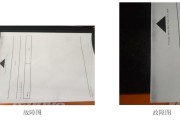
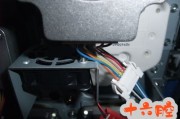
Symptoms: The machine copies all black documents with some light colors, as shown in the red circle in the figure below. 1) Suspect that the charging roller is faulty; 2) The developing magnetic roller is defective. Repair process: On site repair measures: 1) Check the machine SMC table, all data display is normal, test the charging roller ..
After copying 2-3 documents with the machine, the printed copies are backed by dust on one side of the machine, as shown in the following figure: Reason: Poor charging roller; Poor high-voltage board; The developing magnetic roller is defective. ****This content is hidden by the author * * * .. Ricoh/Basic ..
[Symptom] When the power is turned on or the [Start] key is pressed, SC320 (development bias error) is displayed. The check is not a developer problem [reason] * * * * this content is hidden by the author * * * * [supplementary information] when performing the above operations,...
Symptoms The machine has a SC324-01 code failure when it starts copying. MP_C2004exSP_2504exSP **** This content is hidden by the author **** Reason 1) The black developing motor of the machine is not good. 2)...
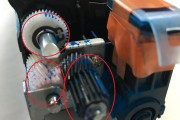
Symptom malfunction: There is a rattling noise when printing and copying IM C2004. This malfunction has occurred multiple times and was previously resolved by replacing the developing unit, but it reappeared shortly thereafter. Repair process 1. There was an abnormal noise during the printing test, and it was confirmed that the abnormal noise was ..