
|
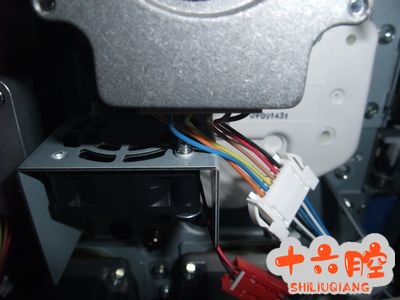
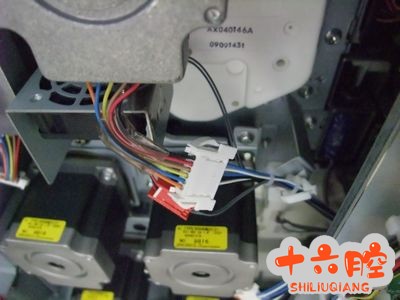
[Symptoms]When the power is turned on or the [Start] key is pressed, SC320 (development bias error) is displayed. Check is not a developer problem [Cause]The wiring harness of the initial paper feed motor touches the fan motor bracket, and the skin falls off, causing a 24v short circuit and SC320 occurs.
Make sure that the rear lift motor harness does not touch the fan bracket.
[Supplementary Information]When performing the above operations, open the left side of the machine backward and remove the AC control panel. Don't forget to connect the fan controller on the upper right of the AC control board. Ricoh 1107 starts up and reports sc320https:// www.16qiang.cn/view-10515-1-1 |
Address of this article:https://073868.com/post/5697.html
Copyright Notice:
For relevant infringements, reports, complaints and suggestions, please send E-mail:weixiuwang68@qq.com
Tags: #320 #1357 #1107 #907 #Developing






