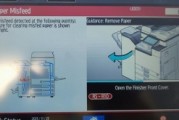
Symptom: j001 R5-R10 jam is displayed. Analysis: By understanding the occurrence of the failure, the booklet binding unit shows that the R5-R10 is jammed, and the broken paper is taken from the booklet unit. The failure has not been eliminated after installation. by consulting the manual...
Symptoms When the machine prints brochures, it frequently reports SC720-35 failures. The reason is that the rear-end pressing motor is wrong during binding. Because the fault code is not always reported, the fault of the drive motor, wire harness and main board can be eliminated. for motor drive parts...
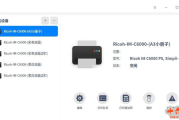
Part 1 Printer Default Settings Step 1: Add Printer Driver 1. Find the Print Manager in the "Start Menu" (if not found, please search, download, and install it from the software store); 2. Click on the '+' ..
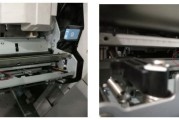
Symptom MP3055SP booklet stapler SR3220 paper jam, prompt J223, as shown in Figure (2). Cardboard position: Move the paper tray to the paper outlet (A4 horizontal feeding, approximately 1/5 of the edge is not discharged). After removing the cardboard, the machine can return to its original position ..
Environmental Scan (Email Delivery): After digitizing paper documents with DocuWorks, send them via email! through the DocuWorks will be directly after the electronic paper files sent to the pc on the network for preservation a3 booklet binding plus...
MP9003SP final processor SR4130 brochure, paper jam occurs during origami output, and abnormal noise is produced in the transmission part. Cardboard position. Refer to Figure (1) for the blue box position. 1. Ensure that the paper is stuck in the origami unit, the paper is flattened, and the paper is ..