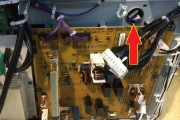
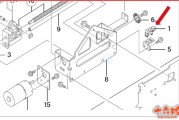
After excluding other faults and disassembling and restoring, the continuous C1181 fault phenomenon is caused by the following principle: 1. Suspecting that there was an error in the disassembly and restoration process, the disassembled part was removed and reinstalled again, but the fault still persists. 2. By consulting the maintenance manual, we obtained ..
The MPC305SP sometimes displays error code SC325 upon startup. The machine exhibits issues such as yellowing of the base, powder leakage, and other similar phenomena. See the transfer belt in Figure (I), the paper transfer roller in Figure (II), and the toner leakage at the rear of the machine in Figure (III). **** This content was made...
Fault phenomenon: When the machine is using the third and fourth paper boxes, the paper stops between the vertical conveyor rollers of paper box one and paper box two. The machine prompts a paper jam, but does not display the jam code information, and the paper is not wrinkled. This content is hidden by the author ..
Model: B195/235 Fault phenomenon: Machine panel report: Original document jam, need to open the feed cover. In fact, the machine did not jam, just pull the cover plate on the document feeder, and the machine will be normal. Exclusion process: 1. Check the DF625 output ..
The Ricoh 5450 new machine has been in use for over a year now, and it has been reported as E-013 after producing 3 to 4 versions. By checking the maintenance manual code, it was found that the customer's scanning platform was not tightly closed during maintenance. Through observation, it was discovered that the iron hook in part manual 1 had changed ..
Description: The customer reported a machine repair prompt stating "wrong paper setting". Upon observation, there was no paper on the machine drum, and upon opening the paper cover, a small piece of residual paper was found blocking the head sensor. Clear the residual plate paper, reinstall the plate paper, and the machine can make plates normally. . ..
Symptoms After turning on the power switch, the machine displays the code SC486 waste powder bottle motor lock failure, test the waste powder bottle drive motor to operate normally, and check that there is not much waste powder in the waste powder box. the reason is located in the lower back of the machine, ac power supply board above the position,...
Symptoms appear frequently on the machine showing the E006 code. Maintenance process 1. E006 is an error in the inspection of the imprint motor; 2, check the printing motor rotation is normal; 3. The inspection found that the sensor of the printing encoder plate was abnormal. * * * * This content was written by the author...
Symptom 1. One MP2014AD prompts "Open ADF cover and remove paper", but the machine ADF is not jammed; Possible reasons: sensor detection errors, board faults, wiring harness issues; Repair process 1. Carefully inspect ADF