Symptoms: After turning on the machine, the screen displays "Please wait" for a long time. After waiting for a long time, the machine displays normally. When switching to the user interface such as copying or file server, the machine displays the SC899 code. Diagnostic process 1) Upgrade the host firmware and SO
Diagnosis process: 1. The domain server connected by the machine software, one of the users "Li Na" has this failure when binding the card. 2. After deleting this user from the domain server, re-establish the domain user "Li Na". The fault remains. 3, re...
Ricoh SOP Screen Installation and Uninstallation Application Video Link: https://pan.baidu.com/s/1dzszORJsnMP171pBjCpAag * * * This content was written by the author...
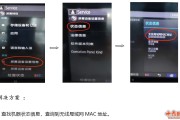
IMC2000/C2500/C3000/C3500/C4500/C6000 According to customer requirements, it is necessary to query the wireless LAN MAC address on the machine IMC3000 by the customer. Reason: The machine is set up for maintenance...
SOP screen touch panel calibration step 1, enter SOP screen maintenance mode a press and hold the third white physical button on the left while pressing the status confirmation key in the lower left corner of the screen B after the numeric keypad appears on the screen, press Reset → 8 → 0 →...
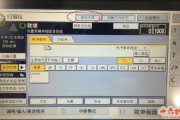
In the Symptom SOP Android operation interface, you cannot select the scan to save to HDD in the scan interface. The function of analyzing and scanning and saving to hard disk is set up and used in the scanning interface (see figure) in the traditional operation interface (non-SOP), while in SOP operation...
Ricoh SOP smart screen model credit card authentication settings, all SOP smart screen models, MP7503 series, MP2555 series, IMC2000 series and other symptoms: failure to set credit card authentication function when installing the machine reason: set...
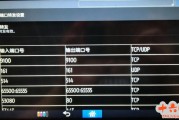
Symptom: The customer's laptop is equipped with a printer driver for this model and can print through a wireless connection to the SOP screen. The laptop can ping the IP address of the SOP screen, but after clicking print, there is no action on the machine side (no data signal light flashing or error message raised)