Troubleshooting process: 1. Do not rush to blindly replace spare parts when reporting this error. You must have a clear troubleshooting idea and lock the problem before replacing spare parts. 2. with this error related spare parts: laser to dc board connection...
Fault phenomenon: Use paper box 2 to print report 13.B2.D2. Fault description: The initial fault was to replace the main gear set. After replacing the gear set, paper box 1 printed normally and paper box 2 printed a paper jam. Solution to the problem: 1. From the analysis of the problem, it can be seen that the main gear set was replaced ..
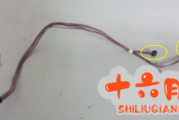
Fault analysis: The user reported a startup error of 57.00.02 when repairing an M551n printer. They brought an 800 fan to the door for testing. Replacing the fan is ineffective. Continuing to observe, it was found that the interface connecting the two small fans was also the same, as shown in the figure ..