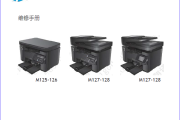
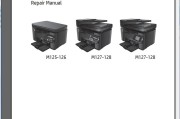
1. M126, M128 series, mobile device wireless connection (including wireless direct connection and wireless access to the same network), can only achieve printing function through HP mobile printing APP (HP smart), does not support scanning function ..
Fault description: After replacing the motherboard of the M16/M128 series printer, it is necessary to use the Galileo tool to reconfigure the motherboard model, otherwise it will not work properly. Principle explanation: 1 In addition to using hardware Galileo tools, it can also be done manually ..
Suitable products: M126, M128 series products. Fault description: After the printer is powered on, there is a self-test sound, and the single screen keeps showing that initialization cannot be ready. Troubleshooting approach: 1 This problem is mainly caused by the following reasons, but ..
Fault description: Customer reported M126A startup error E8, the machine cannot be ready. Solution process: Power on, printer error E8, connect to computer to print test page, normal. Based on the error code, determine the malfunction of the scanning head and proceed with further disassembly ..
Suitable products: M126, M128. Fault description: No power supply when turned on, and the control panel switch does not light up when plugged in. Processing steps: 1 Firstly, ensure that the connections on the motherboard and power board are properly connected, and then re plug and unplug the connections on the motherboard and power board
Language: English format: PDF electronic version, no encrypted pages: 148 pages of manual content is detailed, illustrated, is a good helper for maintenance personnel, with maintenance manual, you don't have to worry about the disassembly and troubleshooting of this machine! Even if...