The printer host [*] powder box of the brand new A3 laser digital multifunctional machine product list after opening the packaging is not in the packaging box, but in a separate package; [*] The drum assembly is packed with white plastic foam and placed in the red circle on the right. [*]. ..
Remove the transport fixing screws of the scanner's scanning head, remove all the packaging materials and protective tape of the host, remove the seal of the powder bin, remove all the protective materials of the photosensitive drum assembly, install the photosensitive drum assembly, turn on the power supply (there are two power switches: main power supply.....
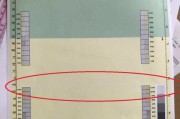
Fault description: printing yellow with white track parallel to short side (long side paper feeding) solution process: printing PQ page found yellow with a white track parallel to short side of paper (long side paper feeding), judgment may be related to drum assembly, development or laser,...
The steps for replacing the developing unit of HP's new A3 series laser all-in-one machine E7 and E8 series are as follows: - E7 and E8 series new A3 laser all-in-one machines, like M436, use carrier imaging technology in the imaging part. The difference is that E7
Language: Chinese Page: 1796 Error codes and control panel messages Troubleshooting overview Error codes are displayed on the printer control panel to indicate the current printer status or situations that may require action. Error. ..